


 ZERO INSTALL
Power via USB. Enter device URL to open webCAN. Start streaming CAN data in your browser
 COMPACT
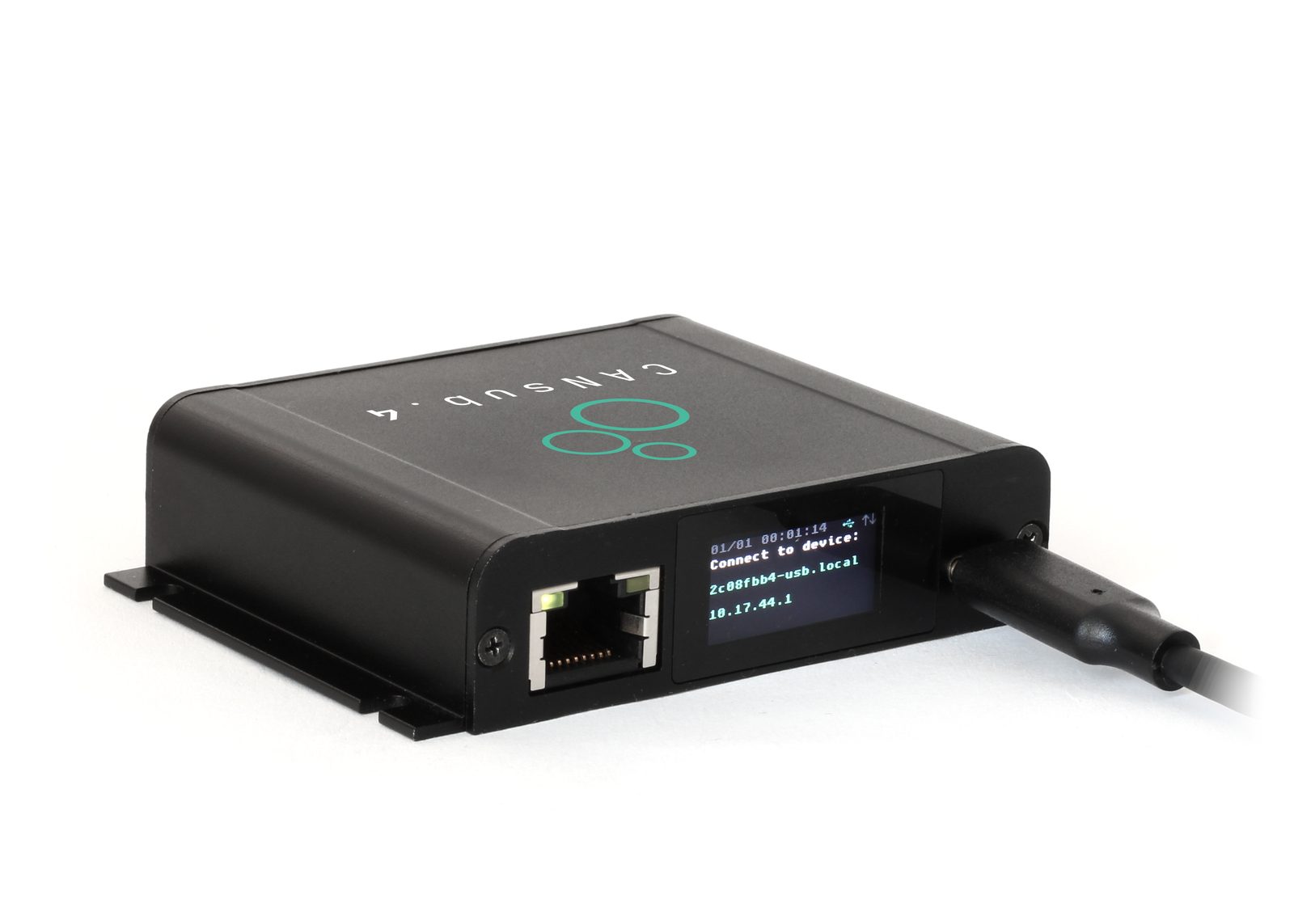
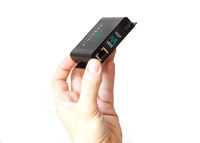
Only 8 x 7 x 2 CM. 90G. Aluminium enclosure. Built-in LCD display for device status
 PRO SPECS
4 x CAN FD. Galvanic isolation. 20K+ frames/s. 1 µs timestamps. Error frames. Silent mode
 WEBCAN APP
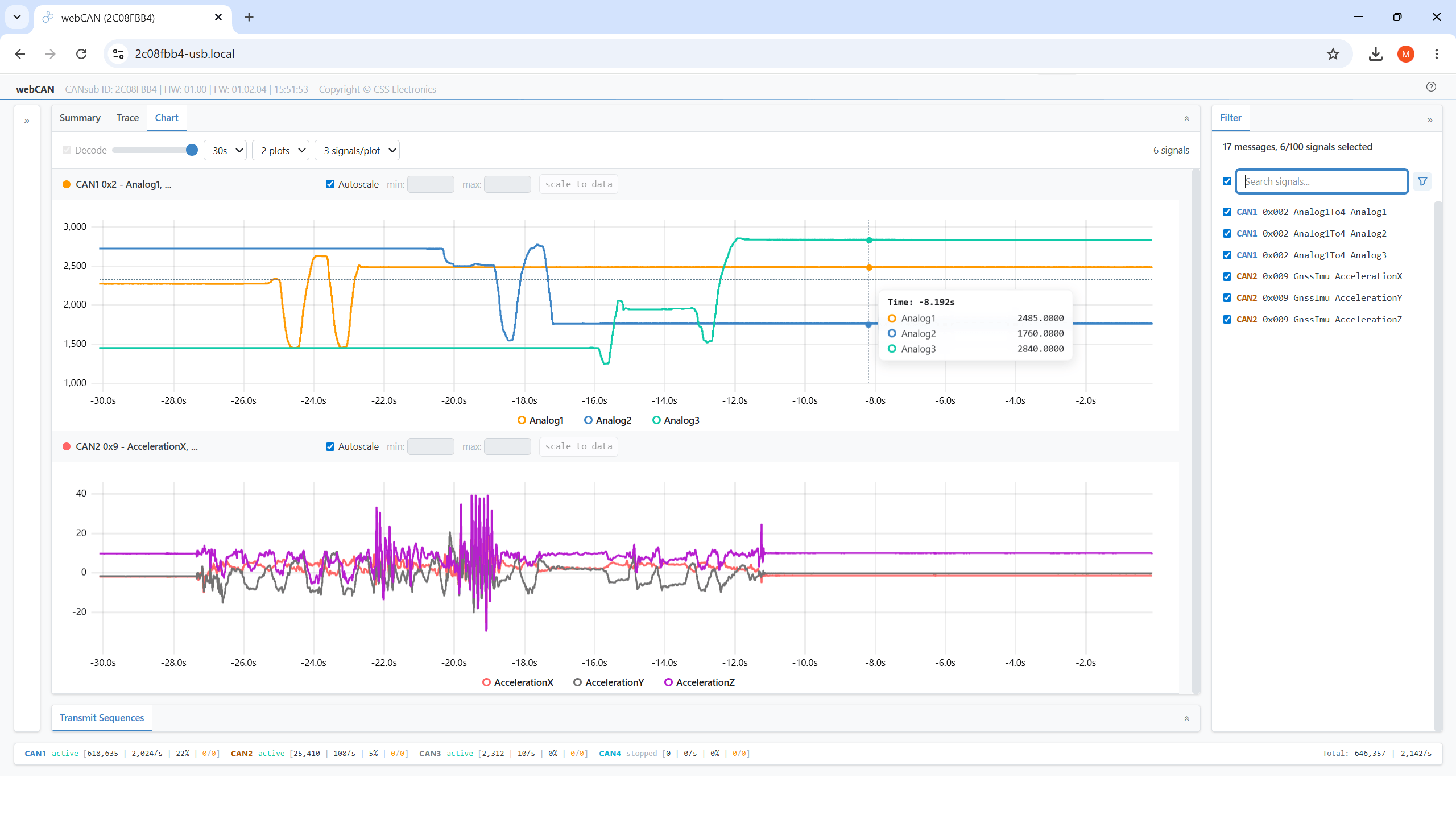
Runs on device. Configure device, stream CAN data, DBC decode, plot signals - and more
 USB+ETHERNET
USB for direct CAN access via laptop. Ethernet for network, WiFi and remote use. HTTPS
 OPEN API
REST/WebSocket API lets you build custom web apps, Python integrations and more
4 x CAN FD interface
with USB and Ethernet
Pro specs CAN bus interface
- at half the cost
The compact CANsub.4 lets you send/receive 4 x CAN FD via USB or Ethernet - with professional-grade specs:
- 4 x CAN (incl. CAN FD) with galvanic isolation
- Stream CAN bus data via either USB or Ethernet
- Built-in LCD display shows device URL and live CAN status
- webCAN app runs on device - zero installation
- 20,000+ frames/second with 1 µs timestamp resolution
- Configurable silent mode and hardware ID filters
- Transmit list 'jobs' with edge-based timing precision
- CAN error frame and remote frame (RTR) support
- Use standard DB9 adapters via DB25-4xDB9 cable

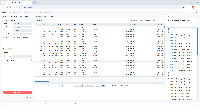
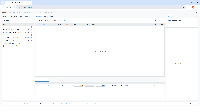
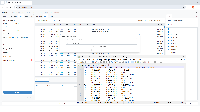
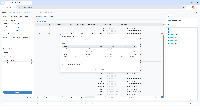
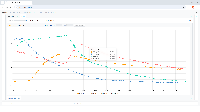
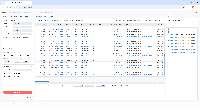
webCAN runs on your CANsub
- zero installation needed
The webCAN app runs directly on the CANsub - simply enter the device URL in your browser to start.
No drivers, no software installation, no internet required:
- Configure bit-rates incl. auto-detection support
- Set hardware filters, silent mode and CAN errors
- Create custom transmit sequences (optional DBC encoder)
- Connect multiple CAN buses in parallel (20K+ fps)
- Load and assign DBC files for real-time decoding
- View summary statistics across CAN IDs and signals
- View, export and import trace data (up to 2M frames)
- Support for J1939 TP, ISO-TP, NMEA 2000 Fast Packets
- Visualize decoded signals in real-time charts
- Powerful frontend filters for CAN IDs and signals
- Save/load device configuration and DBC settings
Access your CAN data from anywhere via Ethernet
Connect the CANsub via Ethernet to a router - then access it via LAN, WiFi or even the internet:
- Use the CANsub from any device on the network
- webCAN enables instant access via any PC/tablet/phone
- Connect the device to a WiFi router for wireless access
- Access multiple devices with unique bookmarked URLs
- Secure remote internet access via VPN - incl. via LTE routers
- All data securely encrypted via HTTPS (TLS)
- Optional Power-over-Ethernet (PoE) adapter available

100% open CAN interface
with free software and APIs
The CANsub provides an open REST/WebSocket API for custom apps & integrations - and a powerful toolbox beyond webCAN:
- Python API: Automate streaming/processing e.g. via AI agents
- SavvyCAN: Stream raw/decoded data - e.g. for CAN sniffing
- PlotJuggler: Plot CAN signals with advanced transformations
- REST API: For device configuration and monitoring (OpenAPI)
- WebSocket API: For real-time transfer of raw CAN frames
- JS/TS libraries: Quickly build custom CANsub web apps
- Docs for AI: LLM-friendly TXT docs for rapid development
Check out our tech specs, use cases or FAQ - or buy now!
Do you have any questions?
Contact us




| GENERAL | |
|---|---|
| Functionality | CAN-USB/Ethernet interface with 4 x CAN channels (incl. CAN FD) |
| Firmware | Supports free firmware updates for adding features |
| Software | Free webCAN app (runs on device) - enter URL shown on device LCD display to start (zero installation) |
| webCAN lets you configure device, send/receive CAN frames, DBC decode data, plot CAN signals and more | |
| Free open source SavvyCAN GUI for streaming of raw / DBC decoded data | |
| Free open source Python API for streaming of raw / DBC decoded data | |
| Custom Apps/Integrations | Open REST API (described via OpenAPI) for easy device management via software/API tools |
| Open WebSocket API for streaming raw CAN frames for easy integration, incl. for pure web applications | |
| JS/TS libraries for building custom CANsub web apps | |
| Safety | CE, FCC, IC and RoHS certified |
| Warranty | 1-year warranty |
| Support | Free, fast & high quality support |
| Origin | Denmark |
| INTERFACES/SECURITY | |
| Interfaces | Configure device and stream CAN data via USB or Ethernet |
| USB | USB is ideal for simple desk setups or e.g. ad hoc in-field vehicle diagnostics |
| Ethernet | Ethernet enables flexible deployments (at scale, remote areas, wireless via WiFi/LTE routers, ...) |
| HTTPS (TLS) | The device uses TLS 1.2 to encrypt all data communication |
| Discovery | The CANsub supports mDNS to enable easy discovery of connected devices on your local network |
| CAN BUS | |
| Channels | 4 x CAN FD channels (Controller Area Network) |
| Isolation | Basic galvanic isolation (easily connect CAN buses not subject to high voltage differences) |
| Standard | ISO 11898: Compliant with CAN (between 5K and 1 Mbit/s baud rates) and CAN FD (1M, 2M, 4M, 5M) |
| Protocols | Receive/transmit data from/to CAN based protocols (J1939, CANopen, NMEA 2000, OBD2, UDS, CCP/XCP, ...) |
| Identifiers | Compliant with CAN specifications 2.0A (11-Bit ID) and 2.0B (29-Bit ID) |
| Bit-Rate Auto-Detect | Bit rate can be auto-detected or set manually (incl. custom bit timing and sample point) |
| Transceiver Protection | Short-circuit, bus-fault and undervoltage protection |
| Ideal passive behavior when unpowered (high impedance / no load) | |
| TXD dominant timeout prevents network blocking on transceiver failure | |
| DATA STREAMING | |
| Parallel CAN | Send/receive data from up to 4 x CAN channels simultaneously |
| Timestamping (RTC) | The device timestamps data with a 1 µs resolution |
| Frames/Second | 20,000+ frames/second across the CAN channels (i.e. in practice any CAN busload) |
| Silent Mode | Configurable hardware-based silent mode |
| Filters | Multiple regular/extended hardware ID filters per channel |
| Transmit | Transmit custom CAN frames - e.g. for OBD2/UDS/XCP/J1939 requests |
| Transmit sequences can be deployed as 'jobs' on device to enable embedded CAN frame timing precision | |
| CAN Error Frames | Support for logging CAN error frames (bit-stuffing, form, CRC, bit, acknowledgement) |
| Remote Frames (RTR) | Support for logging/transmission of remote CAN frames (RTR) |
| Unique Device ID | Each device has a globally unique ID |
| DISPLAY | |
| Type | Built-in colorized TFT LCD display (160 x 80 px) |
| Boot State | Shows device URL/IP for connecting via software/API tools (e.g. webCAN directly in your browser) |
| Connected State | Shows CAN channel status (CAN1-CAN4), bit-rates, errors, busloads, frames/second |
| ELECTRICAL | |
| Input Supply | +5V via USB connector (optional Power-over-Ethernet adapter available) |
| Power Consumption | Extremely low (<1 W) |
| MECHANICAL | |
| Enclosure & Weight | Compact aluminium enclosure: 75 x 67 x 20 mm (W x L x H excl. flanges). 90 grams |
| Connector (Front) | 1 x D-sub 25 (DB25) connector (optional DB25-4xDB9 adapter cable available) |
| USB | USB-C interface for power (+5V DC), data streaming and firmware update (use our USB-C cable) |
| Ethernet | RJ45 Ethernet interface for data streaming and configuration/firmware update |
| Pin-Out | See the product manual for connector pin-outs |
| Flanges | Flanges with 4 x M3 screw holes (head diameter < 6 mm) |
| Temperature | Operating temperature (parts): -25degC to +70degC |
| IP Rating | IP40 |
| Mounting | Device can be mounted via e.g. velcro strips or mounting kit |
The CANsub.4 is ideal for automotive and industrial engineers who need to send/receive CAN data via USB or Ethernet - with powerful software tools and zero installation.

Direct real-time CAN access via USB
Need to stream CAN data directly from a vehicle, machine or test setup?
Connect the CANsub.4 to your CAN application via the DB25 connector (using the optional DB25-4xDB9 adapter cable and standard DB9 adapters) and plug in the USB cable to your laptop. The device URL appears on the LCD display - enter it in your browser and webCAN opens immediately. Configure your bit-rates (or use auto-detection) and start streaming CAN data from all 4 channels in real-time - with zero software installation. You can also load your DBC files to decode data and visualize CAN signals in smooth real-time plots.
Test lab with multiple CAN buses
Need to monitor multiple CAN buses in a test lab from any PC on the network?
Connect the CANsub in your test lab to your router via Ethernet. Any engineer on the local network can now access the device using webCAN by entering its unique URL in their browser - no software installation needed. This makes it easy to set up multiple CANsub devices in a lab, each with a bookmarked URL. Add our PoE adapter to power each CANsub from the same Ethernet cable - keeping the lab wiring clean.


Wireless CAN access via WiFi
Need to stream CAN data without physically connecting to the application?
Connect the CANsub.4 via Ethernet to a WiFi router at the CAN application - e.g. on a vehicle, generator or in an engine room. Field technicians can then connect to the device wirelessly from their laptop or tablet without having to physically access the installation. For fixed setups like test rigs or industrial machinery, deploy multiple devices with bookmarked URLs for convenient periodic access.
Global remote access via LTE
Need to access a CAN bus from across the building - or across the world?
Connect the CANsub to an LTE-capable router and set up a VPN for secure remote access over the internet - even for mobile assets in the field. Engineers anywhere in the world can then join the VPN and connect to the device via webCAN or Python to diagnose the CAN bus, stream data or send commands in real-time via transmit lists. All data is encrypted via HTTPS (TLS) and transmit sequences are deployed as jobs on the device for precise edge-timing independent of network latency.


Custom web app and API integration
Need to build a custom CAN interface tool for your engineering team?
The CANsub.4 uses an open REST API for configuration (OpenAPI) and WebSocket API for data streaming - making it easy to integrate with custom applications - incl. pure web apps. Use our free JS/TS libraries to quickly build custom CANsub web apps - even using LLM/AI tools for rapid prototyping. For automation workflows the Python API (python-can, cantools) enables seamless scripted data processing and integration.
In short? Because it is the best value/cost CAN bus interface you can get.
The combination of below factors makes the CANsub unique vs. other CAN interfaces:
- Instant CAN access: The LCD display + webCAN + bit-rate auto-detection enables out-the-box CAN access in <30 seconds
- Pro specs: 4 x CAN FD, galvanic isolation, 20K+ frames/second, 1 µs timestamps, error frames, silent mode and even edge-based transmit sequences - the CANsub is on par with (or exceeding) best-in-class pro specs CAN interfaces
- 50% lower cost; 50% smaller: Despite the top-tier specs, the CANsub offers a radically lower cost & size vs comparable devices
- 100% free software: webCAN offers functionality matching 1000+ EUR CAN software tools - but it is free
- USB and Ethernet: In contrast to most CAN interfaces, the CANsub also enables streaming via Ethernet - which stacks uniquely with the webCAN GUI to allow any device (PC, tablet, phone) on the network to stream CAN data via LAN, WiFi or LTE
- LCD display: This offers rich real-time device/CAN insights (bit-rate, frames/second, busload) - far beyond classic LEDs
- Open API: The modern REST/WebSocket API is perfect for building 3rd party apps/integrations via Python, Qt - or even pure web
Getting started with the CANsub is a simple 4-step process:
- Connect to CAN: Connect your CAN bus to the CANsub (optionally using the plug & play adapter cables)
- Connect via USB: Plug the CANsub into your PC with our USB-C cable - it powers up and shows its URL on the LCD display
- Open webCAN: Enter the URL in your browser - webCAN loads instantly with zero installation needed
- Configure and stream: Set bit-rates (or auto-detect), optionally assign DBC files - and click connect to start streaming CAN data
You can of course also use the CANsub with other tools like Python, SavvyCAN and more.
In addition to USB, the CANsub has an RJ45 Ethernet port for network-based access. Connect the device to a router or switch (using a separate USB power source or a Power-over-Ethernet adapter for power) and it will display an Ethernet URL/IP on its LCD. Any PC, tablet or phone on the same network can then open webCAN in its browser to start streaming.
This opens up workflows that USB alone cannot support:
- Share a single CANsub across a team of engineers on the same LAN
- Connect wirelessly via a WiFi router - e.g. for hard-to-reach installations or vehicles/machines with a WiFi router installed
- Reach the device remotely over the internet via VPN - e.g. for field assets equipped with an LTE router
webCAN is the primary software tool for the CANsub - and it runs directly on the device itself. Unlike traditional CAN interfaces that require you to install proprietary software and drivers on your PC, webCAN requires zero installation. Simply connect the CANsub, find the URL on the display and enter it in your browser - webCAN opens immediately with a full-featured CAN interface including DBC decoding, real-time plots, transmit lists and more. The tool is 100% free - with no license fees or subscriptions.
Because webCAN is served by the device, it requires no internet access and is fully self-contained. It also means that any authorized user on the same network can access the device from their own browser - whether via USB, LAN or WiFi/LTE routers. This is especially powerful for team setups where multiple engineers need to access the same device without installing anything on their PCs.
Yes. webCAN runs 100% offline and entirely client-side in your browser, no internet access is required/relevant at any point. Specifically:
- The full webCAN app is served by the CANsub itself, not from any external website or CDN
- No external libraries, fonts or scripts are loaded at runtime
- No communication with CSS Electronics servers, cloud services or third-parties
- All decoding, plotting and export processing happens locally in your browser
- DBC files persist in browser storage (cookies / local storage), nothing leaves your device
This means webCAN works on air-gapped networks, in vehicles without LTE coverage, behind corporate firewalls and in regulated environments where outbound internet is blocked. The only network link required is the direct connection between your computer/tablet and the CANsub itself, over USB or Ethernet.
The webCAN code is embedded in the CANsub firmware and served by the device when you open its URL/IP in your browser. Since it is delivered as a standard web application over HTTPS, it runs on anything with a modern browser - Windows, macOS, Linux, iOS or Android - across laptops, tablets and phones. There are no drivers, no installers and no OS-specific builds to maintain.
webCAN is optimized for performance and can fully leverage the pro specs of the CANsub, including sustained busloads of 20,000+ frames/second. For such high throughput, the consuming device needs appropriate specs. As an example, webCAN has been validated at 20,000+ frames/second on a Lenovo ThinkPad with an AMD Ryzen AI 7 PRO 350 (2.00 GHz, x64) and 32 GB RAM running Windows.
webCAN also runs on lightweight platforms such as the Raspberry Pi 5. On performance-constrained devices, very high busloads are not practical in the GUI - but this is easily addressed by configuring hardware filters on the CANsub itself, so only the relevant CAN frames are streamed to the webCAN frontend.
The CANsub comes with a number of plug & play software/API tools that help you get started immediately. All tools for the CANsub are 100% free with no subscription fees:
- webCAN: Runs on the device. Configure, stream, DBC decode and visualize CAN data in your browser
- SavvyCAN: Open source GUI for streaming raw / DBC decoded data - ideal for reverse engineering
- Python API: Open source python-can API for scripted data streaming and automation
- JS/TS libraries: Build custom CANsub web apps
Generally, the CANsub is designed for interoperability and custom integrations, allowing you to easily integrate it with custom tools in addition to the above. In particular, the CANsub provides a REST-based configuration interface (OpenAPI) and websocket-based data streaming for easy integration with custom tools.
No. The CANsub's primary tool, webCAN, runs directly on the device and is accessed via your browser - no drivers, no software installation and no internet required. Simply connect the device, find the URL on the display and enter it in your browser.
For specialized use cases, you can optionally use SavvyCAN or the Python API (python-can) - but webCAN alone provides a complete CAN interface experience with zero installation.
The CANsub uses HTTPS with self-signed TLS certificates to encrypt all communication between the device and your browser. On first use, you install the CANsub root certificate in your browser or OS - this is a one-time step that enables seamless HTTPS access going forward.
If the certificate is not installed, your browser will show a security warning that you can accept to proceed. In rare cases, corporate IT policies may restrict access to websites using self-signed certificates or block installation of such certificates. If this applies to your organization, contact your IT department to whitelist the device URL or certificate.
The Ethernet interface provides the same access experience as USB - but over a network. Connect the CANsub to a router or switch via the RJ45 Ethernet port. The device obtains an IP via DHCP and displays it on the screen. Note that the device still requires power from a USB power supply or via a PoE adapter if the router supports Power-over-Ethernet.
Since the IP is assigned via DHCP, it may change over time. However, the device is also accessible via its hostname: https://deviceid-usb.local for USB access or https://deviceid-eth.local via Ethernet - providing a stable address you can bookmark.
LAN access: The most common use of Ethernet is simple LAN access. Any authorized user on the same local network can open the device URL in their browser to use webCAN - no installation required on any of their PCs. Users can of course also connect via other software/API tools.
WiFi access: If the CANsub is connected to a WiFi-capable router, users can access the device wirelessly from laptops or tablets on the same WiFi network. This is useful in offices/test labs - but especially for hard-to-reach installations, or mobile assets like trucks, tractors or construction equipment that have a WiFi router installed. The latter setup allows field technicians to connect to the device from outside the vehicle without physically plugging in.
Remote internet access via VPN: For remote access over the internet - e.g. to a CANsub installed on a mobile asset in the field via an LTE-capable router - a VPN is the recommended approach. The LTE router connects outbound to a VPN server, and remote users join the same VPN network to access the device securely. This approach works regardless of carrier NAT restrictions (which can prevent traditional port forwarding) and ensures only authenticated VPN members can reach the device. Modern VPN solutions make this straightforward to configure on most routers. As a simpler alternative, port forwarding can be used if the router has a public IP - but a VPN is recommended for production setups as it provides stronger access control.
The CANsub.4 uses a DB25 connector for the 4 x CAN channels. We recommend adding the DB25-4xDB9 adapter cable which splits the DB25 into 4 x standard DB9 connectors.
From there, you can use our standard DB9 adapter cables to connect to your specific CAN bus connector - e.g. the OBD2-DB9, J1939-DB9 or other adapters from the adapter cable range. The DB25 pinout matches the CANmod.router, so the same DB25-4xDB9 adapter cable can be used.
The CANsub operates at the lower CAN layer - it sends and receives raw CAN frames without assuming anything about the higher-layer protocol. This means it works with any CAN-based protocol, including J1939, CANopen, NMEA 2000, OBD2, UDS, CCP/XCP and more.
Protocol-specific decoding is handled via DBC files in webCAN (or via SavvyCAN/Python API). webCAN supports advanced DBC features including extended multiplexing (required for OBD2/UDS) and PGN decoding (required for J1939, ISOBUS, NMEA 2000).
The device supports both Classical CAN (5K to 1 Mbit/s) and CAN FD (1M, 2M, 4M, 5M) across all 4 channels.
Yes. webCAN runs in any Linux browser via USB or Ethernet - with zero installation, drivers or internet access required.
The Python API (python-can) and SavvyCAN also run on Linux, giving you multiple options for CAN data streaming and processing.
Yes. Since webCAN runs in your browser, it works on Mac just like on any other platform - simply enter the device URL and start streaming. The Python API (python-can) is also supported on Mac for scripted data streaming and automation.
The CANsub features a 160 x 80 px built-in LCD display on the backside. The display has two states:
- Boot state: Shows the device URL/IP that you enter in your browser to open webCAN - making it easy to connect to the device
- Connected state: Shows CAN channel status with bit-rates, errors, busloads and frames/second
The display replaces the basic LEDs used by traditional CAN interfaces - giving you rich device status information at a glance.
The CANsub.2 and CANsub.4 share the same core features and only differ in channel count and connector:
- CANsub.2: 2 x CAN channels via 2 x standard DB9 connectors
- CANsub.4: 4 x CAN channels via 1 x DB25 connector (use the optional DB25-4xDB9 adapter cable)
The CANsub and CANedge series serve two distinct use cases - and many users benefit from both in parallel:
- CANsub: Real-time streaming of CAN data via USB/Ethernet to a client device (e.g. laptop) running webCAN, SavvyCAN, Python or a custom app. Ideal for live diagnostics, test benches and sniffing.
- CANedge: Standalone CAN/LIN data loggers that record to an SD card for long-duration field deployments (days, weeks or months) with no PC connected. Ideal for fleet analytics, R&D campaigns and predictive maintenance.
For remote CAN data access the right choice depends on whether you need a push or pull model:
- The CANedge2/3 pushes log files via WiFi/LTE to your own S3 server - ideal for automated data collection at scale
- The CANsub can be accessed remotely via the Ethernet interface and LAN/WiFi/LTE routers, but uses a pull model: A client device (e.g. a laptop) connects to the CANsub to stream data, i.e. the device does not push data standalone to e.g. cloud storage
For near real-time remote workflows, the CANedge2/3 can be configured with short file splits (down to 10 seconds) combined with our automation work flows - enabling end-to-end latencies of 20-60 seconds when the device is in coverage. The CANsub achieves closer-to-true real-time remote streaming, limited mainly by WiFi/LTE round-trip latency, but requires an active client connection.
Several of our products support USB streaming of CAN data - but the CANsub is by far our most capable streaming interface. The others support streaming as a side feature to their primary purpose:
- CANsub (recommended): Dedicated CAN FD streaming interface via USB/Ethernet. Zero-install webCAN app, 20,000+ frames/sec, 1 µs timestamp resolution, built-in LCD, and native support for SavvyCAN, Python and custom web apps
- CANmod.router: Primarily a 4 x CAN FD router/gateway for merging, splitting and filtering CAN buses. Can also be used as a USB streaming interface via SavvyCAN/Python - but it is not streaming-first and lacks webCAN, Ethernet and the LCD, and timestamps at 1000 µs (1 ms) resolution vs. 1 µs on the CANsub. We recommend the CANmod.router when you primarily need routing/gateway functionality, with USB streaming as a secondary capability
- CL1000/CL2000 (legacy): 1 x CAN data loggers (classical CAN only) that support ad-hoc USB streaming in SavvyCAN/Python at max ~1,000 frames/sec with 1000 µs (1 ms) timestamp resolution. Their primary purpose is standalone SD logging - we recommend the CANsub for any modern streaming use case
If live CAN streaming is your primary goal, the CANsub.4 is the right choice.
Still have questions?
Contact us