


 SINGLE CABLE
Single Ethernet cable delivers power and data to the CANsub in one connection
 COMPACT
Only 8 x 3 x 3 CM and 60G - fits in equipment racks, enclosures or cable trays
 POE & POE+
Compliant with IEEE 802.3af & 802.3at - works with all modern PoE hardware
 NO USB PLUG
No need for separate USB supply in Ethernet-based CANsub deployments
 LAB-SCALE
Deploy many CANsubs from one PoE switch - ideal for test labs and workbenches
 WIFI-READY
Pair with a PoE WiFi router for wireless access to the CANsub from any laptop
Power the CANsub via PoE
- with a single Ethernet cable
The CANsub is powered via its USB-C port. When you deploy the CANsub over Ethernet (rather than USB), this PoE adapter lets you source power directly from a PoE-enabled router, switch or injector - meaning that a single Ethernet connector provides both network access and power for the CANsub.
This is particularly useful for installations where running a separate USB power cable would be impractical - e.g. test labs, equipment racks, machine rooms or mobile/remote assets.
use cases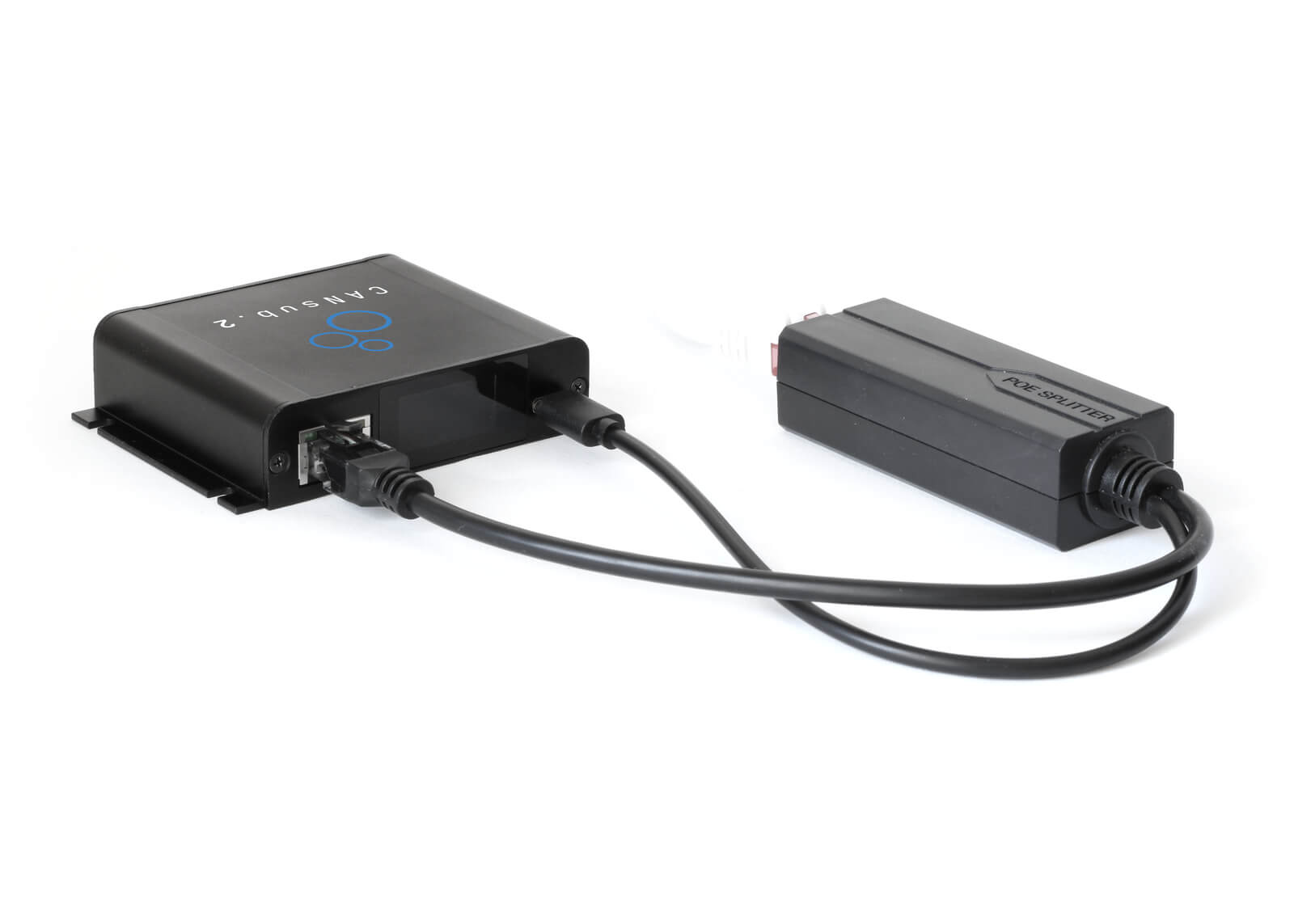
Check out our tech specs, use cases or FAQ - or buy now!
Do you have any questions?
Contact us| GENERAL | |
|---|---|
| Functionality | Extracts 5V power from a PoE signal and passes Ethernet data through to the CANsub via a single cable |
| PoE Standard | Compliant with IEEE 802.3af (PoE) and 802.3at (PoE+) |
| PoE Input Voltage | DC 44V - 57V (per IEEE 802.3af/at PoE specification) |
| Power Output | 5V DC at up to 2.4A (max 15W) - delivered to the CANsub via the integrated power cable |
| Ethernet Pass-Through | 10/100 Mbps Ethernet passes through to the CANsub's RJ45 port |
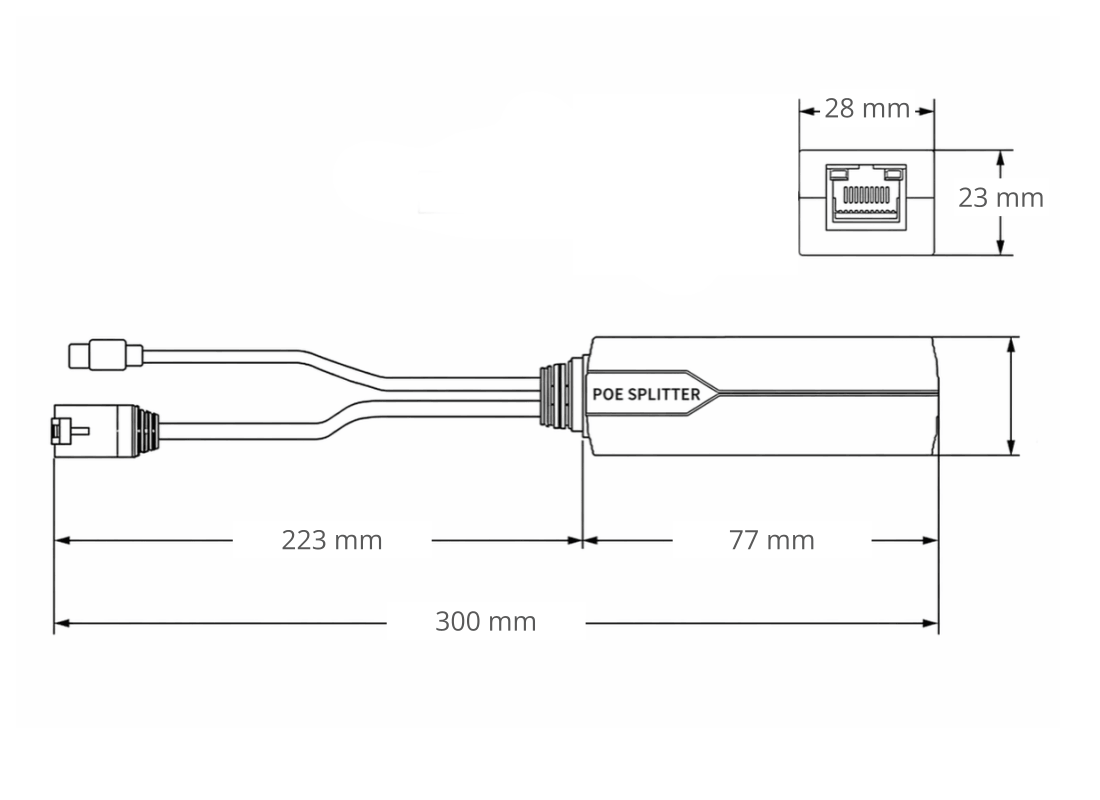
| Dimensions | 8 x 3 x 3 cm |
| Weight | 60G |
| Temperature | Operating temperature: -10degC to +70degC |
Below are two examples of use cases where the PoE adapter simplifies CANsub installations:

Scale a test lab with PoE
Need to deploy multiple CANsub devices across a test lab from a single PoE switch?
In a test lab with many CAN buses under test, installing a separate USB power supply for every CANsub quickly becomes impractical. Instead, wire each CANsub to a central PoE-enabled switch via this adapter - one Ethernet cable per device handles both network access and power. This keeps the installation clean, simplifies cable management and lets any engineer on the network open webCAN in their browser to connect to any device.
Wireless CAN access with a WiFi router
Need wireless access to a CANsub from any laptop or tablet on a WiFi network?
Many WiFi routers provide PoE output on their RJ45 ports - making it possible to power a CANsub directly from the router without running a separate USB power line. Connect the PoE adapter between the router and the CANsub, and the device boots up ready for wireless access. Any engineer on the same WiFi network can then open webCAN in their browser to stream CAN data - ideal for test labs, factory floors or hard-to-reach installations where running a USB power cable is impractical. The same approach also works with PoE-capable LTE routers for remote/mobile deployments.

The CANsub is powered via USB-C. When you use the CANsub over Ethernet (rather than USB), it normally still needs a separate USB power source - e.g. a wall adapter or power bank. With this PoE adapter, a single Ethernet cable from a PoE-enabled router, switch or injector delivers both power and data - simplifying installations in test labs, equipment racks or mobile/remote assets.
No. You can always power the CANsub via its USB-C port (from a laptop, wall adapter or power bank) and simultaneously connect it to a network via its RJ45 Ethernet port - no PoE involved. The PoE adapter is a convenience option for setups where running a separate USB power cable is impractical.
The adapter is compliant with IEEE 802.3af (PoE) and 802.3at (PoE+) - making it compatible with most modern PoE-enabled routers, switches and injectors.
Still have questions?
Contact us