


 Kubota
Fits many Kubota vehicles/engines for plug & play connection

 OVERMOLDED
Quality overmold ensures top flexibility & durability
 SOLID CABLES
Rugged quality 1.5m cable with 22 AWG (0.5 mm2) thickness
 ROHS
ROHS
Cables are RoHS compliant and tested in Denmark
 1Y WARRANTY
We offer a 1-year warranty on all our products
About the Kubota-DB9 (4-pin) adapter cable
The Kubota-DB9 (4-pin) adapter can be used in many Kubota vehicles, e.g. various construction equipment. The cable is compatible with our CANedge CAN loggers and CANsub CAN interfaces - letting you connect either directly to the CAN bus. Simply locate the 4-pin connector in your vehicle, typically found in the cabin (sometimes behind a panel).
Need to use this with a CANsub.4/CANmod.router? See our DB25-4xDB9 adapter cable.
For more on J1939, check out below guides:
- J1939 intro
- J1939-73 intro (diagnostics)
- J1939 data logging & telematics
- Stream DBC decoded J1939 data in webCAN
- J1939 DBC file

Check out our tech specs, use cases - or buy now!
Do you have any questions?
Contact us| GENERAL | |
|---|---|
| Adapter Cable Length | 150 cm |
| Adapter DB9 Pins | In accordance with CiA 303-1 |
| Compatibility | High Speed CAN Bus (ISO 11898-2) incl. e.g. CAN FD, SAE J1939, NMEA 2000 |
| Cable Thickness | 22 AWG (0.50 mm2) |
| Connectors | 9-pin D-sub (DB9) female to Kubota 4-pin (female) |
| Temperature | Operating temperature: -20degC to +80degC |
| Weight | 110G |
Kubota-DB9 (4-pin) adapter pinout
| Kubota | Function | DB9 |
| 4 | CAN 1 L | 2 |
| 2 | CAN 1 H | 7 |
| 1 | VCC | 9 |
| 3 | GND | 3 |
Below are use cases examples where the Kubota-DB9 (4-pin) adapter is useful:
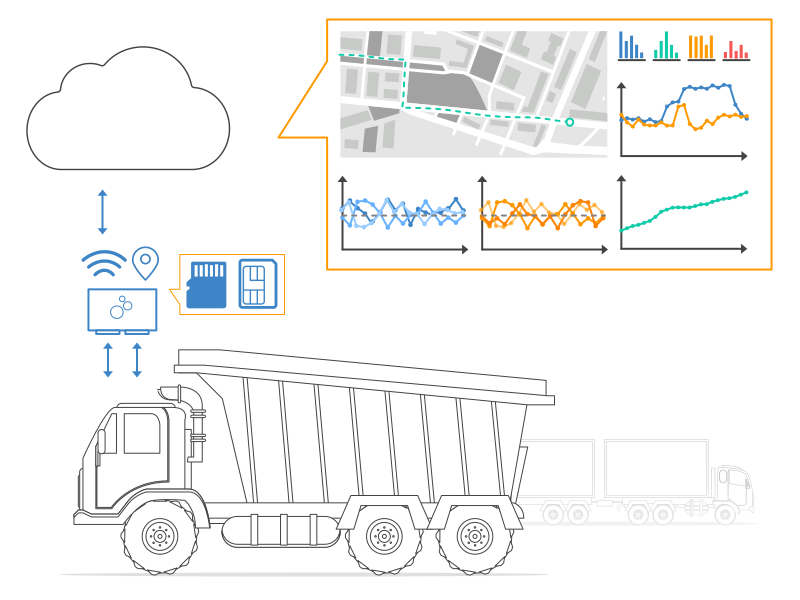
Heavy-duty fleet telematics
Need to log J1939 data from a fleet that includes Kubota vehicles?
In mixed heavy-duty vehicle fleets, some vehicles may be fitted with the 4-pin Kubota connector. In such cases, the simplest way to record J1939 data with your CAN logger is to connect it directly to the CAN bus via this adapter cable. This way, you automatically start logging all broadcasted raw J1939 data from the vehicle - allowing you to easily get started with J1939 data logging and telematics.
Wireless field diagnostics via CANsub
Need to give your field technicians easy access to the CAN bus of Kubota vehicles?
Pair the Kubota-DB9 (4-pin) adapter cable with a CANsub.2/CANsub.4 and a WiFi router on the machine. Field technicians with WiFi access can then open webCAN wirelessly in their browser (zero installation required) to stream and DBC decode J1939 data for in-field diagnostics. Combined with this dedicated Kubota adapter cable, you get a plug & play setup for accessing the CAN bus across your Kubota fleet without having to send anyone into the cab.
