CANmod.input Pulse Counter + CLX000 TXT Converters [News]
news / 2024-04
CANmod.input FW 00.03.01 adds an encoder mode, turning two input channels into a pulse counter with direction, and new CLX000 TXT converters and decoders convert raw data to ASC/TRC or decode it to CSV/Parquet. Plus: Excel + CAN bus data, Azure-Flexify and J1939 DBC 2024-02.
Excel + CAN bus data (Parquet data lakes, Athena & DuckDB)
Analyze terabytes of CAN data in Excel!
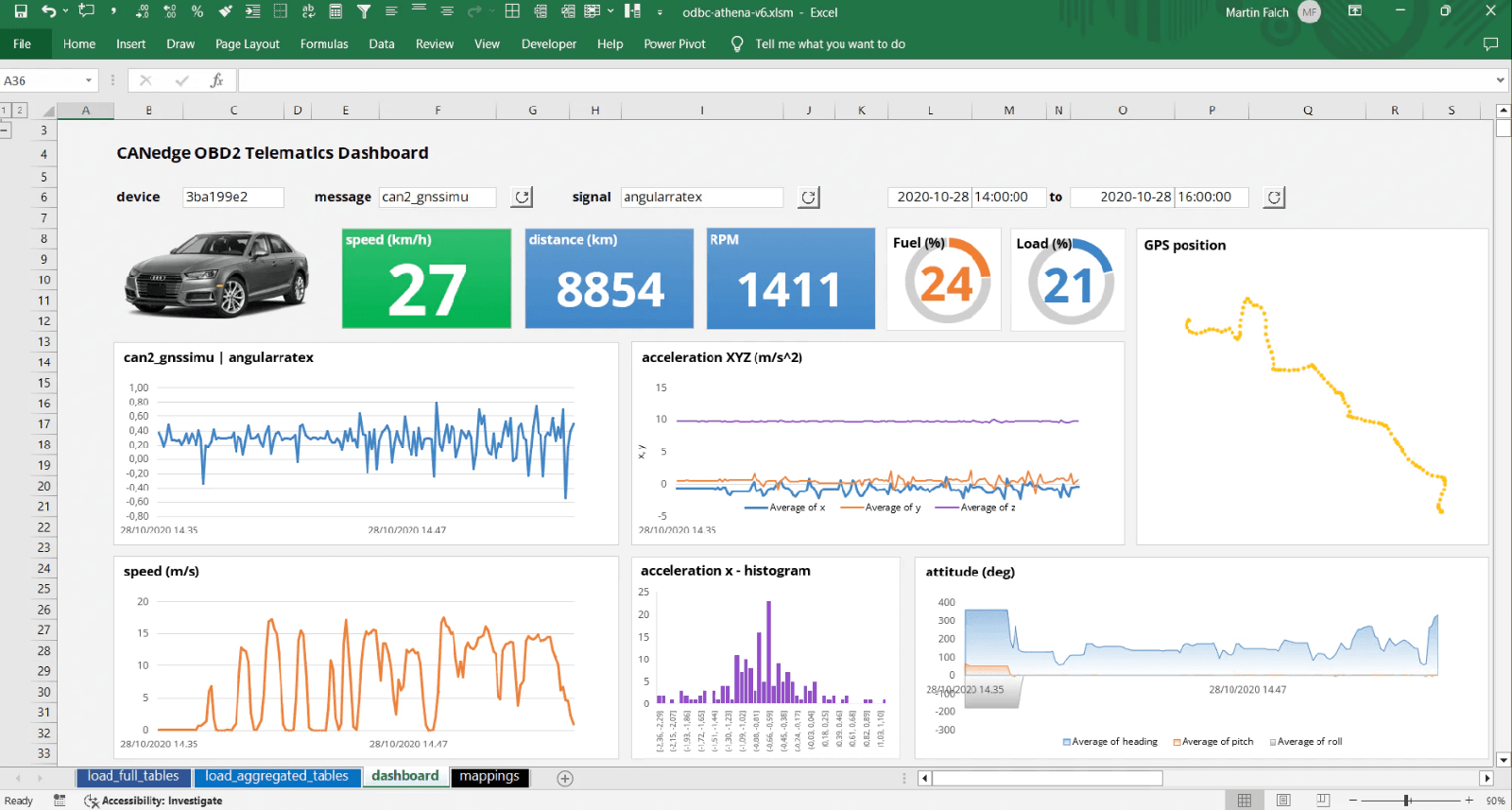
In our latest article we show how you can use Excel to load and process large volumes of CAN/LIN data from the CANedge CAN bus data logger - and even visualize the results in 'Grafana-style' dashboards!
Specifically, we use our new MF4 decoders to DBC decode raw CAN bus data into a Parquet data lake. We then use 'ODBC drivers' to query this data using either Amazon Athena (from AWS S3) or DuckDB (from local disk).
Normally, Excel is near-useless for analyzing CAN bus data at scale, given the limitation of 1,000,000 rows/sheet. But when using Excel-Athena or Excel-DuckDB, the processing of raw data is done at the 'backend', letting Excel focus on loading the light aggregated results. As a result, you can keep your workbook slim, whether you're creating analyses/reports/dashboards across a few MB of data - or several TB.
This is one example of how our Grafana-Athena dashboard integration can be directly leveraged for other use cases.
The article covers the following:
- Why use Excel for CAN data?
- How to set up Excel-Athena
- 5 showcases of Excel-Athena
- How to set up Excel-DuckDB
- Excel-Athena vs. Excel-DuckDB
- Performance comments
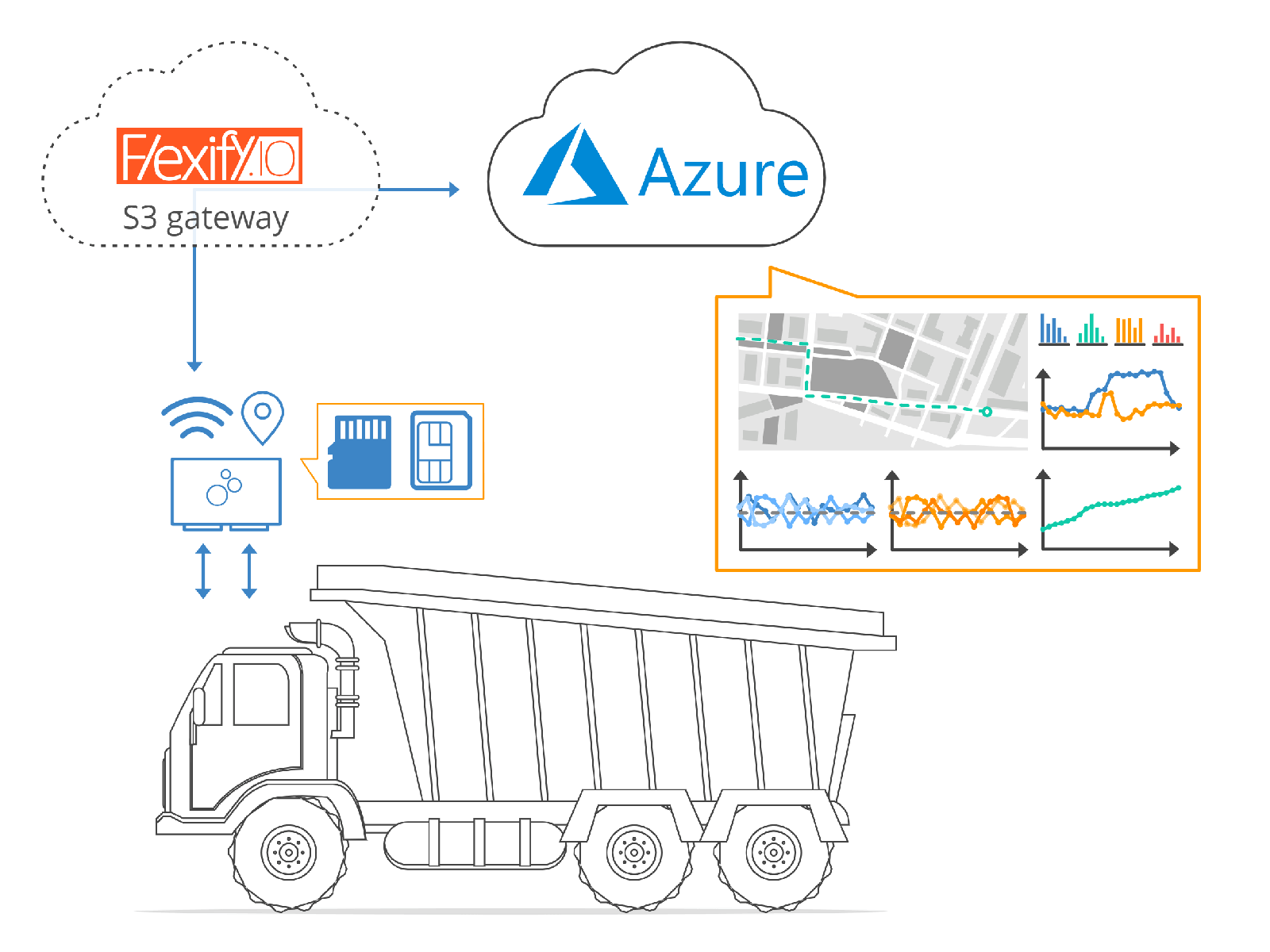
Azure-Flexify: Now available 'as a service'
It is now far easier (and cheaper) to connect your CANedge to Azure via Flexify!
The CANedge2/CANedge3 supports uploading CAN/LIN data to any S3 server (self-hosted/cloud). This includes natively AWS, Google Cloud, MinIO - and many more.
However, many of our users prefer Azure e.g. due to company policies.
The CANedge can be connected to Azure Blob Storage via an 'S3 gateway' - but previously this would require end users to deploy a VM in Azure to host the gateway. This adds complexity, costs and security challenges.
Now, Flexify has introduced their popular S3 gateway 'as a service'. With this, you setup the integration within the Flexify platform. In practice, this lets you link your CANedge to your Azure Blob Storage container in <1 min - and practically for free! (0.04$/GB uploaded/downloaded and the first ~500 GB are free)
The new solution is both secure, low cost, scalable and easy to deploy - check out our updated guide below. In addition, we now provide pre-built TLS certificates for both AWS, Google and Azure-Flexify, making it easy to enable secure upload of your data.
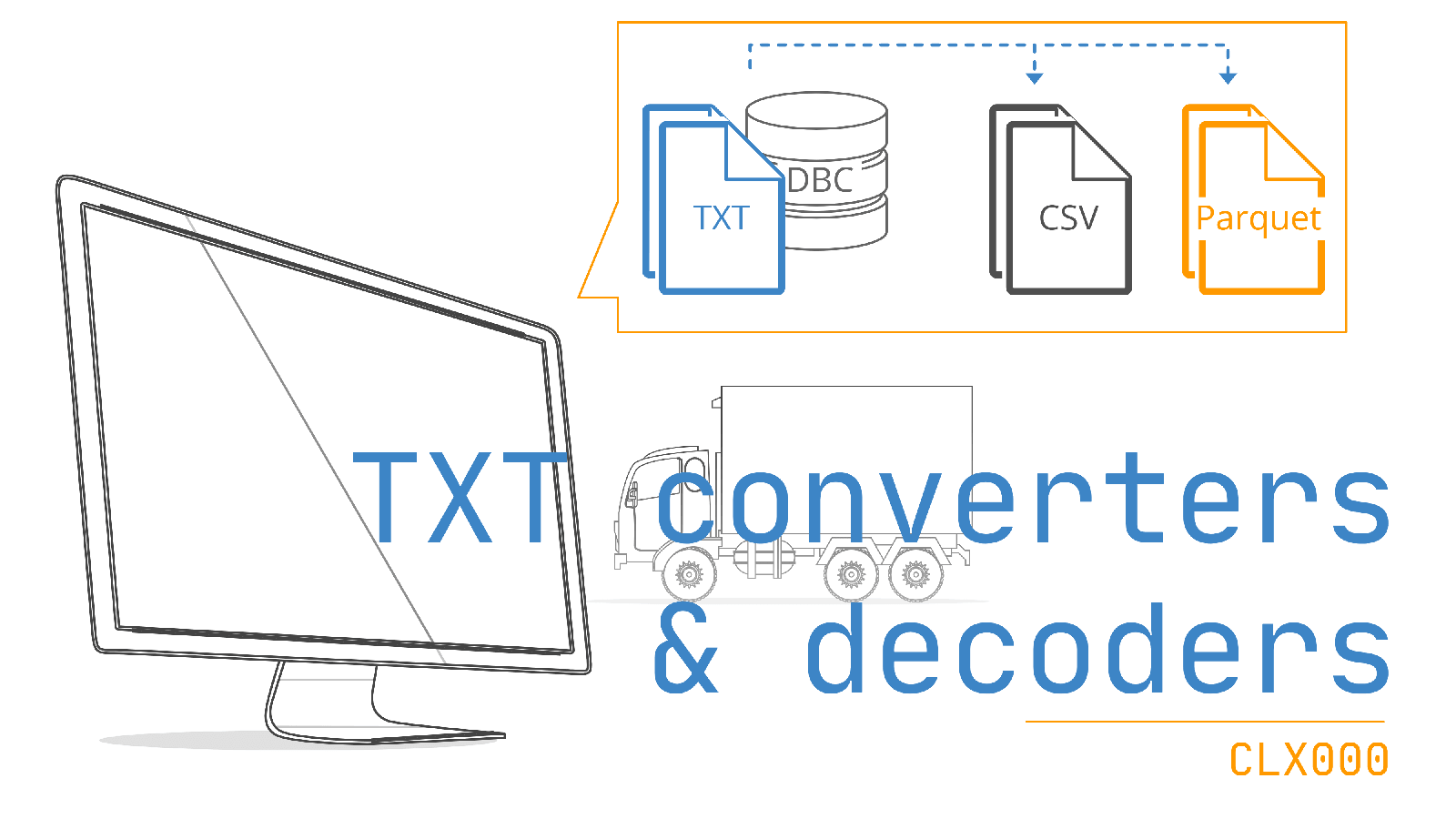
CLX000: TXT converters + TXT decoders
We have now released two new software tools for the CLX000:
#1: The TXT converters let you quickly convert raw data to Vector ASC or PEAK TRC.
#2: The TXT decoders let you quickly DBC decode raw data to CSV or Parquet - ideal for quick analysis or creating big data lakes.
The tools are similar in functionality to the MF4 converters and MF4 decoders for the CANedge series, enabling a more seamless transition across our range of CAN loggers.
You can use the tools via drag & drop, the command line or e.g. Python scripts. This enables you to much more efficiently process your log files from the CLX000 - and output them into formats that offer wider integration.
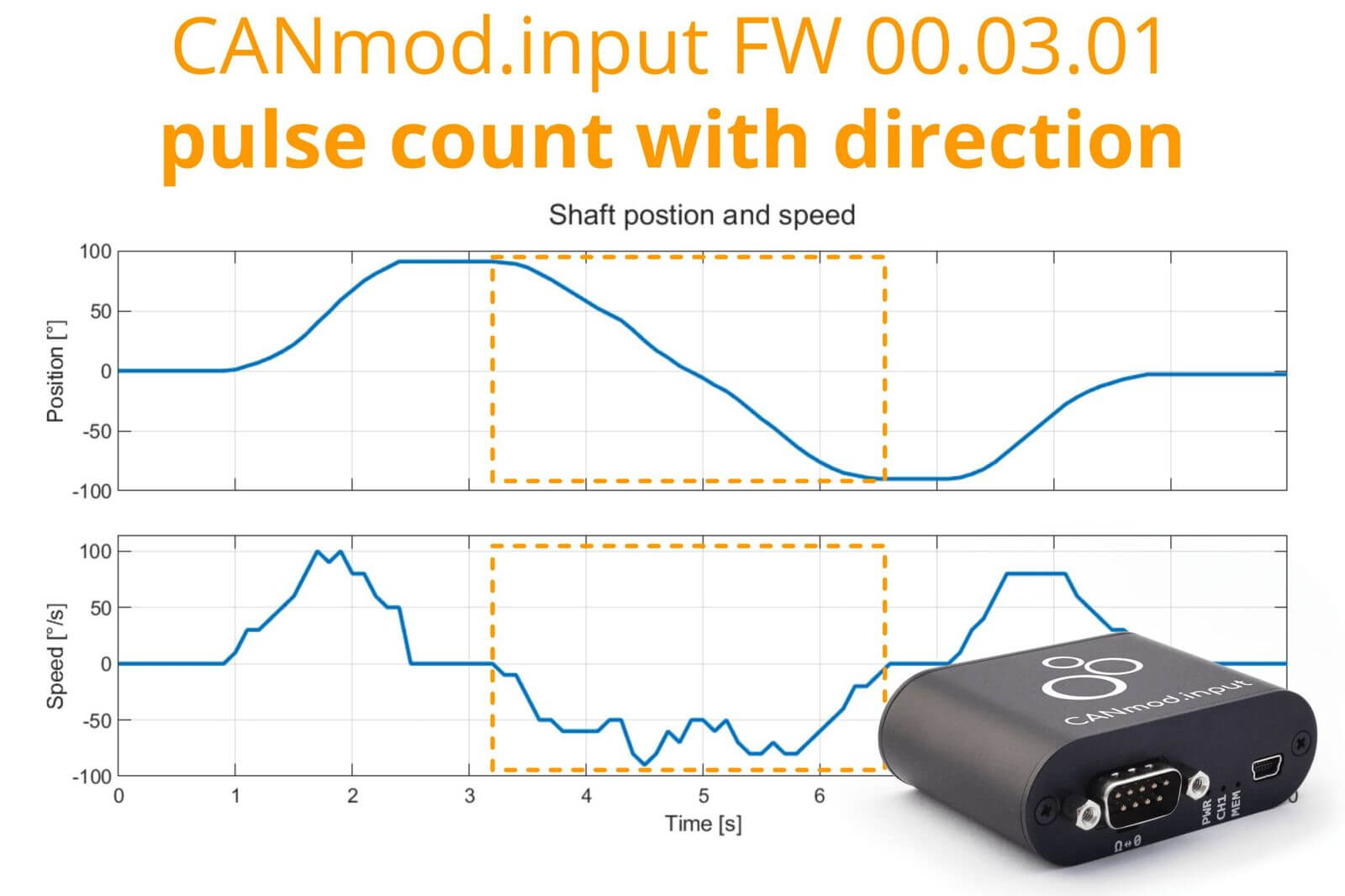
CANmod.input: Encoder pulse count with direction
The CANmod.input is a sensor-to-CAN module that produces analog, digital & pulse measurements from 8 input channels - and outputs the data via CAN bus. The module is 100% standalone, no PC required. It is frequently used as an add-on for the CANedge.
With FW 00.03.01, the device now supports two pulse modes:
#1: Normal: In normal mode, pulses are counted on each channel separately. The pulse count can only increase.
#2: Encoder: In the new encoder mode, two channels are combined to count pulses with direction - i.e., the pulse count can both increase and decrease.
The encoder mode can e.g. be used to measure shaft position and speed using a rotary encoder (as illustrated). Notice how the encoder mode can be used both with the 'accumulate' pulse counting (position plot) and 'reset' pulse counting (speed plot).
Our team has had a lot of requests for this - and we believe it greatly expands the use cases which the CANmod.input can support.
J1939 DBC 2024-02
Our J1939 DBC has now been updated to revision 2024-02. The DBC lets you decode 60-80% of the signals from most heavy-duty vehicles, tractors, marine engines and more.
Grafana-Athena tips
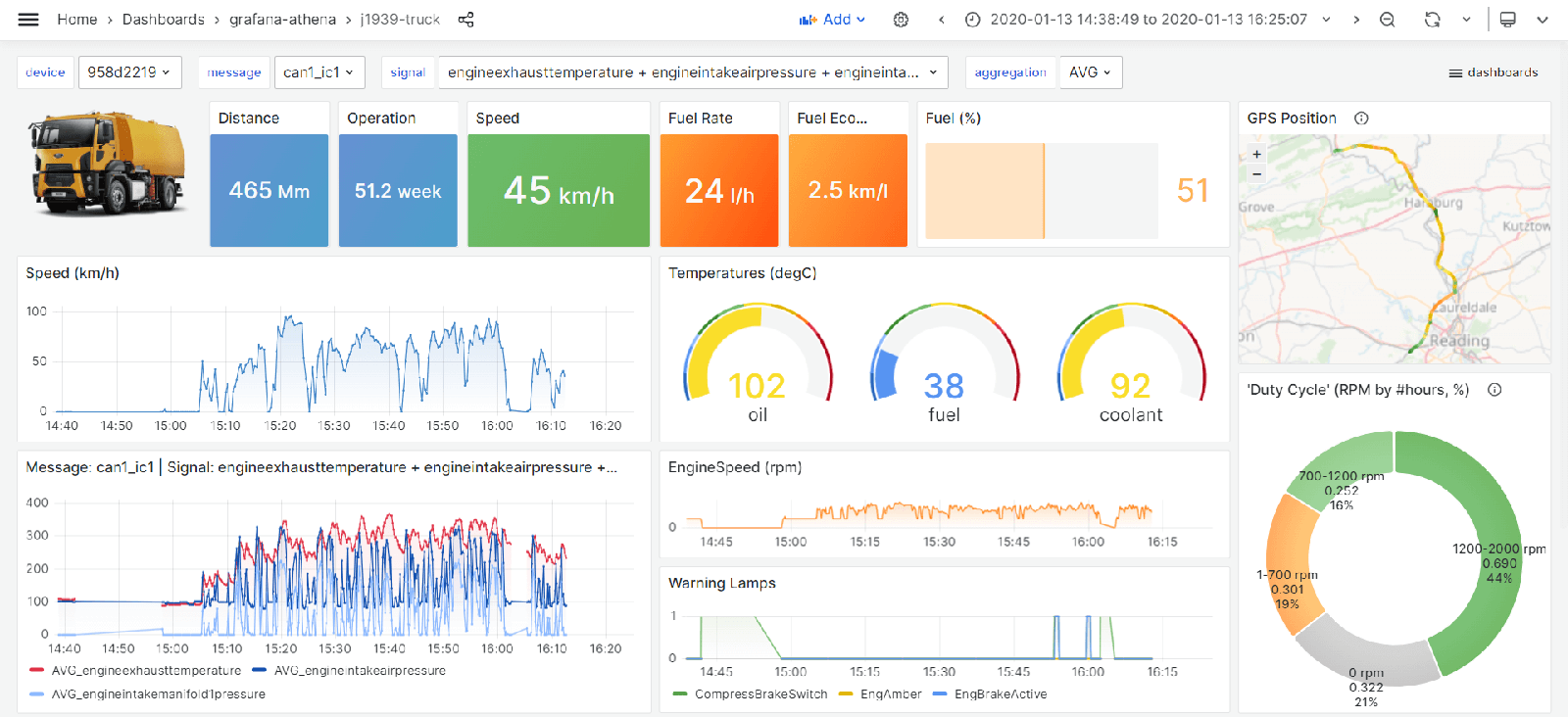
Check out Martin Falch's post on how to use advanced SQL queries in Grafana-Athena dashboards to perform calculations on 'delta variables'
Status at CSS
We're starting 2024 off with a lot of new product/software improvements. Priorities for the coming period include further improvements to the MF4 decoders, a new significant CANedge firmware update and new Python integration packages. Stay tuned!
This update was sent as part of our newsletter on 2 April 2024. You can also download it as a PDF.
Want updates like this in your inbox? Join our newsletter - or see all news.