Over-the-Air (OTA) Updates for CANedge via CANcloud [News]
news / 2026-09
CANcloud now supports over-the-air (OTA) updates in batch: Deploy configuration, firmware and TLS certificate updates across your full fleet of CANedge CAN data loggers in one go. Plus: A fleet telematics case study and AI-based CAN bus reverse engineering with the CANsub.
Update your CANedge fleet over the air in seconds
CANcloud is our 100% free, open source browser tool for managing your CANedge2 / CANedge3 CAN loggers - and the data they upload to your own S3 server (AWS, Google Cloud, Azure or self-hosted MinIO).
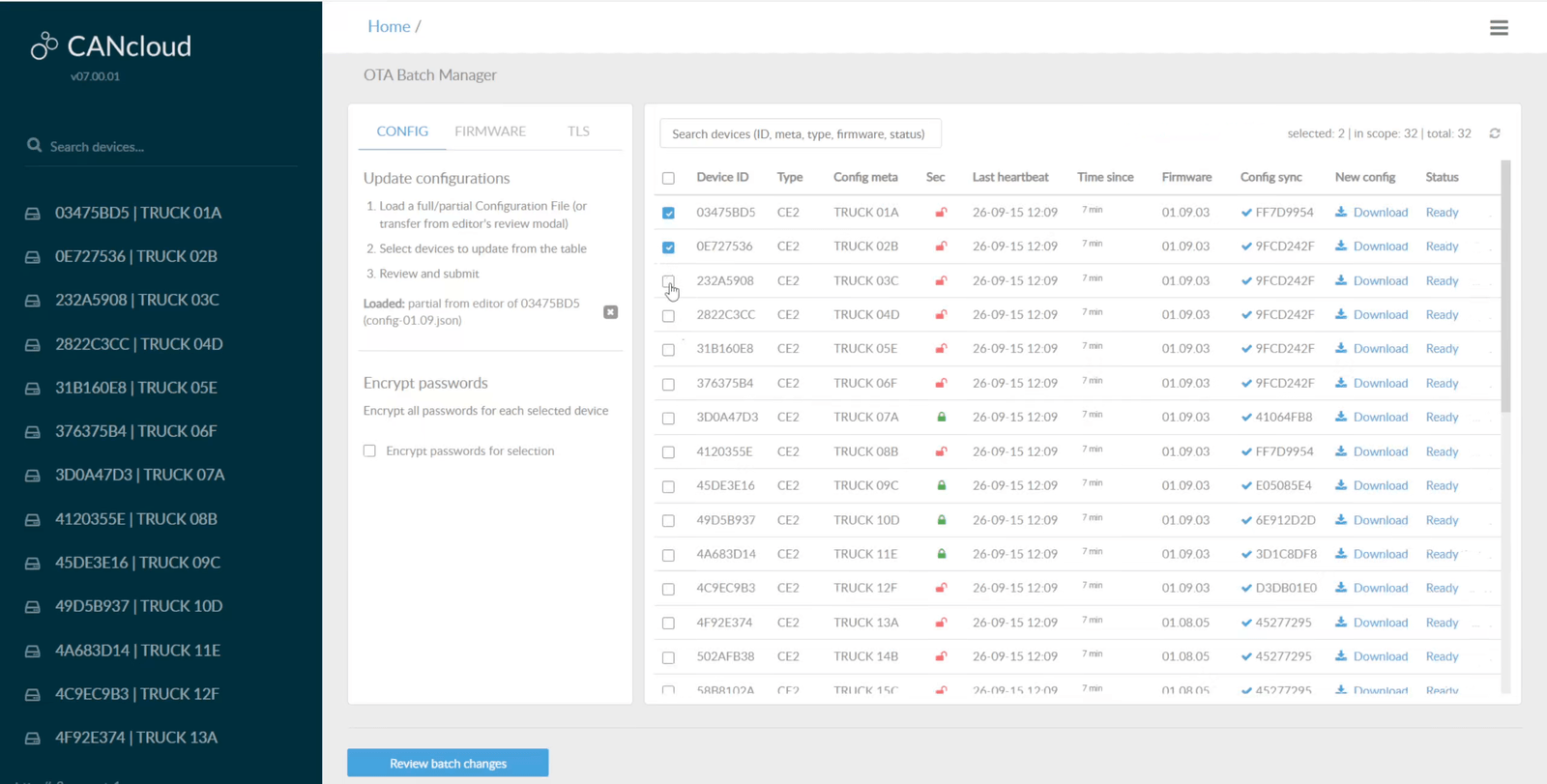
Until now, over-the-air updates in CANcloud were done device-by-device. However, the new OTA batch manager lets you deploy a configuration, firmware or TLS certificate update across your full fleet in a single operation.
Key features:
- Partial config updates: Change e.g. your split size or filters in the config editor of one device, then transfer only those edits to the batch manager. The partial config is merged on top of each device's own Configuration File, preserving all other settings
- Fleet firmware updates: Load a firmware.bin and push it to every compatible device. If the new firmware requires a newer Configuration File schema, each device's config is migrated automatically and written before the firmware
- Password rotation: Enter the new plain text passwords once in the config editor, then enable 'Encrypt passwords' for the batch. Each password is encrypted with each device's own public key, so no unencrypted credentials are deployed
- TLS certificate rollout: Deploy a new certs_server.p7b bundle across your devices. When transitioning to a new certificate, simply include both in the bundle so your devices can connect before and after the update
- Per-device validation: Every device is evaluated individually against its own Rule Schema - and re-validated on fresh data immediately before its update is written. Incompatible devices cannot be selected and the reason is shown
- Searchable device table: Search and sort your fleet by device ID, meta name, device type, firmware version, last heartbeat, config sync state and status - e.g. to isolate every device still on an old firmware and select the full cohort in one click
- Review before you submit: Before submitting an update, you can use the familiar 'diff view' per device to see exactly what will change before you proceed. Further, during a run you can follow the status of each device update
For examples of how the OTA batch manager can be used in practice, see the CANcloud intro docs. For a general intro to CANcloud, see below:
Want to build your own fleet telematics platform?
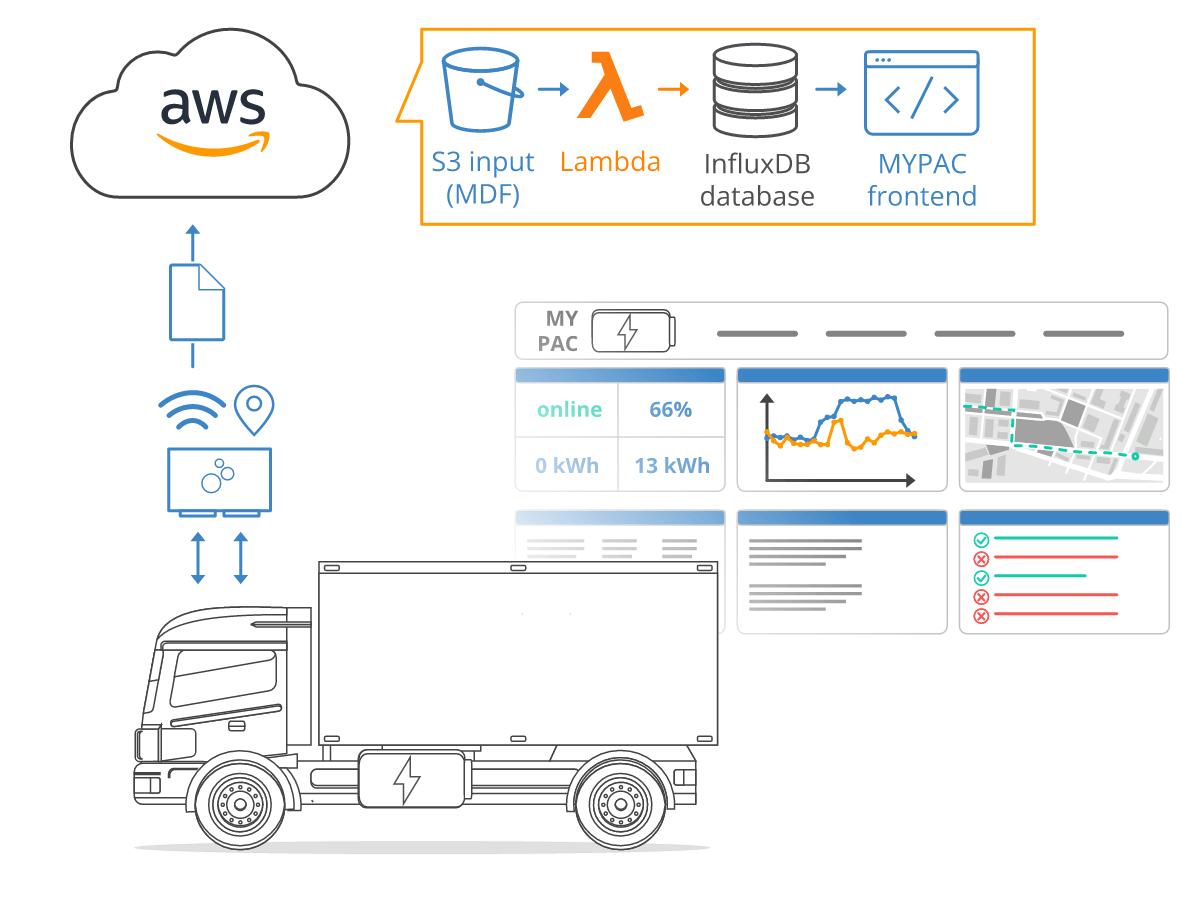
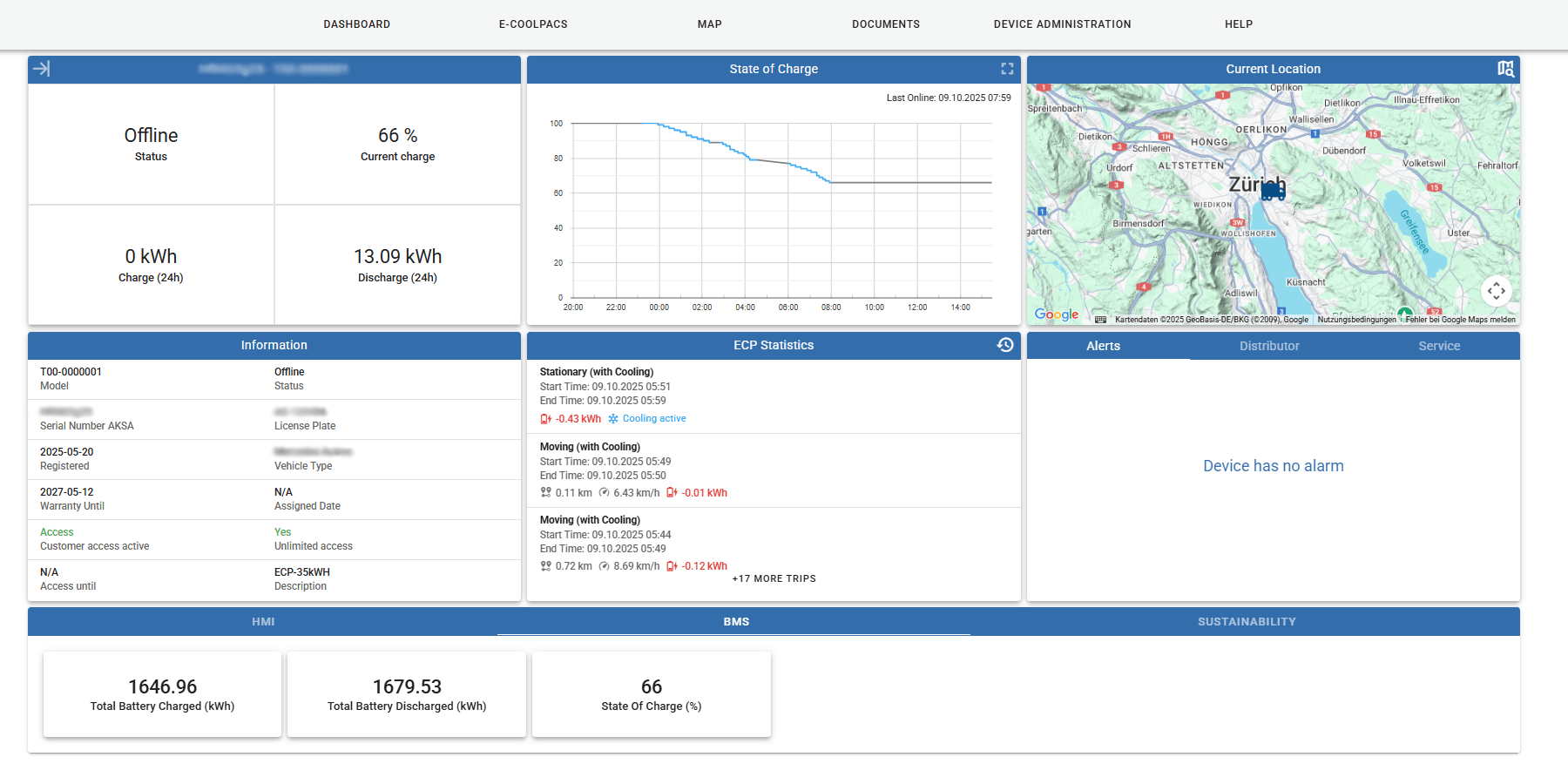
In our recent case study, Benjamin Ambiel and the team at AKSA Würenlos AG use the CANedge3 to bring near real-time data from their E-COOLPAC mobile battery systems into their own telematics platform, MYPAC.
The E-COOLPAC supplies fully electric transport refrigeration units, and AKSA's customers need this CAN-based data for monitoring, planning and diagnostics. The data is collected from a CAN bus where inverters, OBC, BMS and various gateways communicate via CANopen and J1939, brought together on a mobile PLC.
The CANedge3 logs the raw CAN data to SD and transfers it to their AWS S3 cloud server when the device has LTE coverage. The uploaded raw log files are automatically DBC decoded into physical values, ready for visualization in the MYPAC frontend - and traceable across the full lifecycle of each E-COOLPAC.
As Benjamin states:
"By deploying the CANedge3 we have made real-time data from our E-COOLPAC battery systems available online to our customers, dealers and service technicians. This helps our customers optimize their processes - for example, truck routes can be optimized according to the SOC of the battery, and downtime can be planned or even avoided. Further, our service technicians are now able to read machine data online in the event of a failure, enabling them to provide fast and customized support."
Zero to 60: AI CAN bus reverse engineering with the CANsub
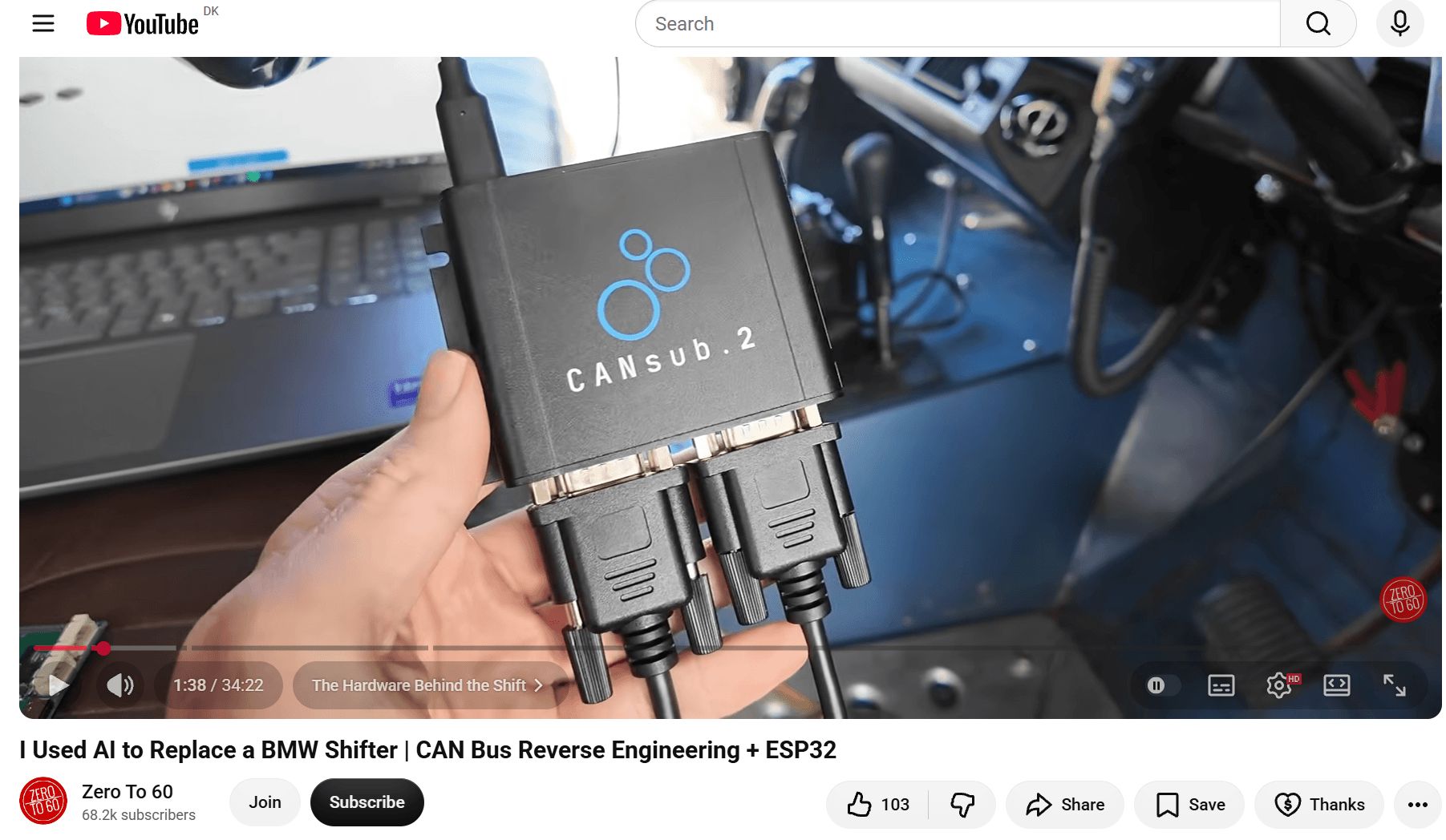
Check out this new video from Andrew at 'Zero to 60'!
Andrew uses the CANsub.2 to reverse engineer CAN signals from his custom Land Cruiser - using both webCAN and Codex to speed things up!
We have both company end users and hobbyists that need to retrofit various systems into existing vehicle CAN buses - which is tricky! This requires two steps:
1) Reverse engineering existing communication to learn what frames correlate/trigger which behavior in the vehicle
2) Using this insight 'in action' to perform a complex equipment swap - e.g. replacing a BMW shifter or adding a custom button-panel
Andrew's video is a great example of this workflow in action - check it out below!
This update was sent as part of our newsletter on 16 September 2026. You can also download it as a PDF.
Want updates like this in your inbox? Join our newsletter - or see all news.