Email/SMS Alerts for CAN Signals via Grafana-Athena [News]
news / 2024-12
Email/SMS alerts for CAN bus signals are now plug and play: Define custom signal thresholds, let the event detection script auto-evaluate all CANedge log files and get notified of events. Plus: Our CAN bus telematics at scale webinar and a police fleet electrification case study.
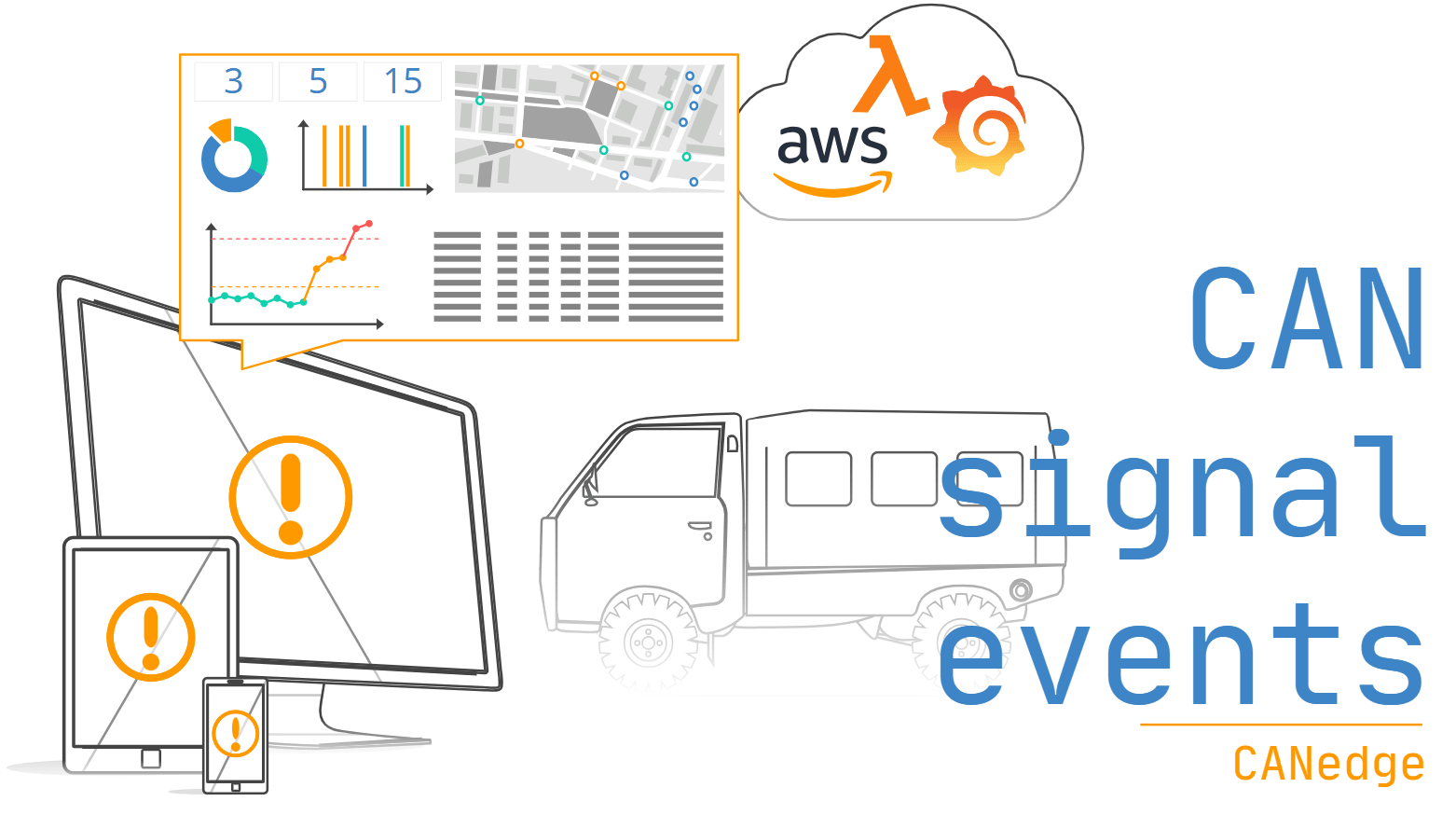
CAN signal events: Detect, notify and visualize
How do you find 12 failure events across 10,000+ CAN bus log files?
Of course, you could open files one-by-one in a GUI tool, DBC decode them, plot the data and eye-ball event conditions - across hundreds of files. We've seen users do this.
But, it's like finding needles in a haystack.
Only, the number of needles is unknown.
... and the haystack may go into thermal runway if you miss one.
Luckily, you can now automate this in 15 min:
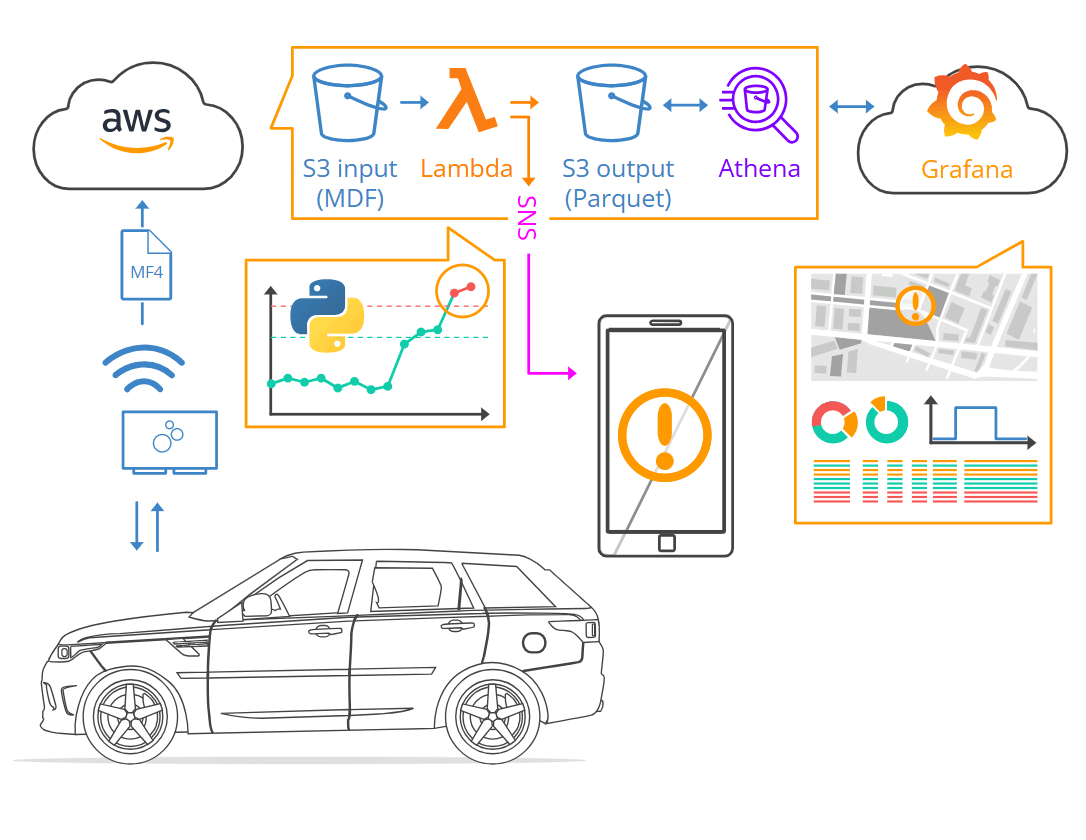
Simply deploy our Grafana-Athena integration and 'extend it' with our new plug & play event detection script. This requires no coding - simply define your events/thresholds.
Once deployed, all your data is auto-evaluated and you get notified by email/SMS of events.
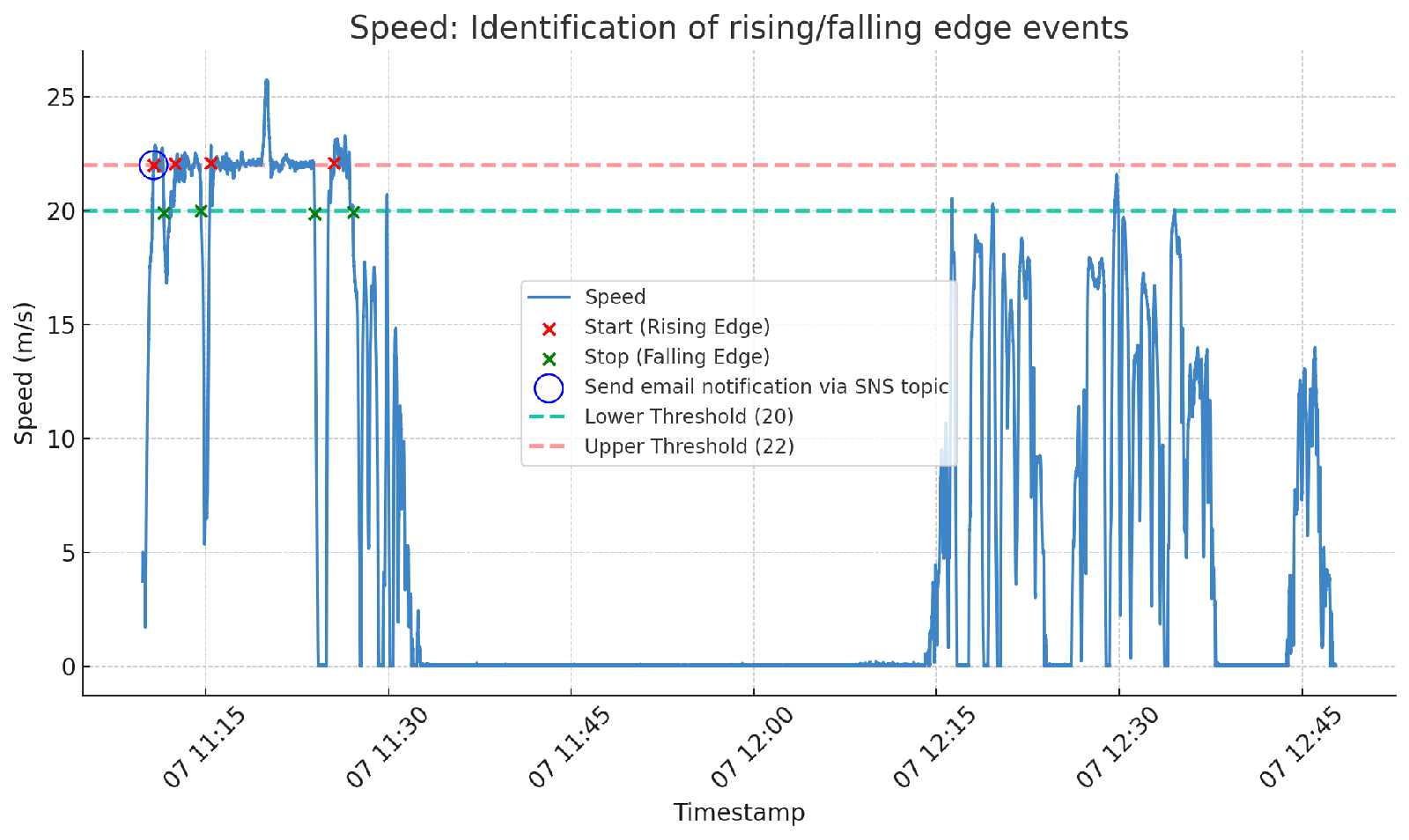
You can fully customize what CAN signals to act upon - and what thresholds to use.
This can be used to e.g. detect harsh braking, high speed, high temperatures, geofence events, battery faults, active J1939-73 DTCs etc.
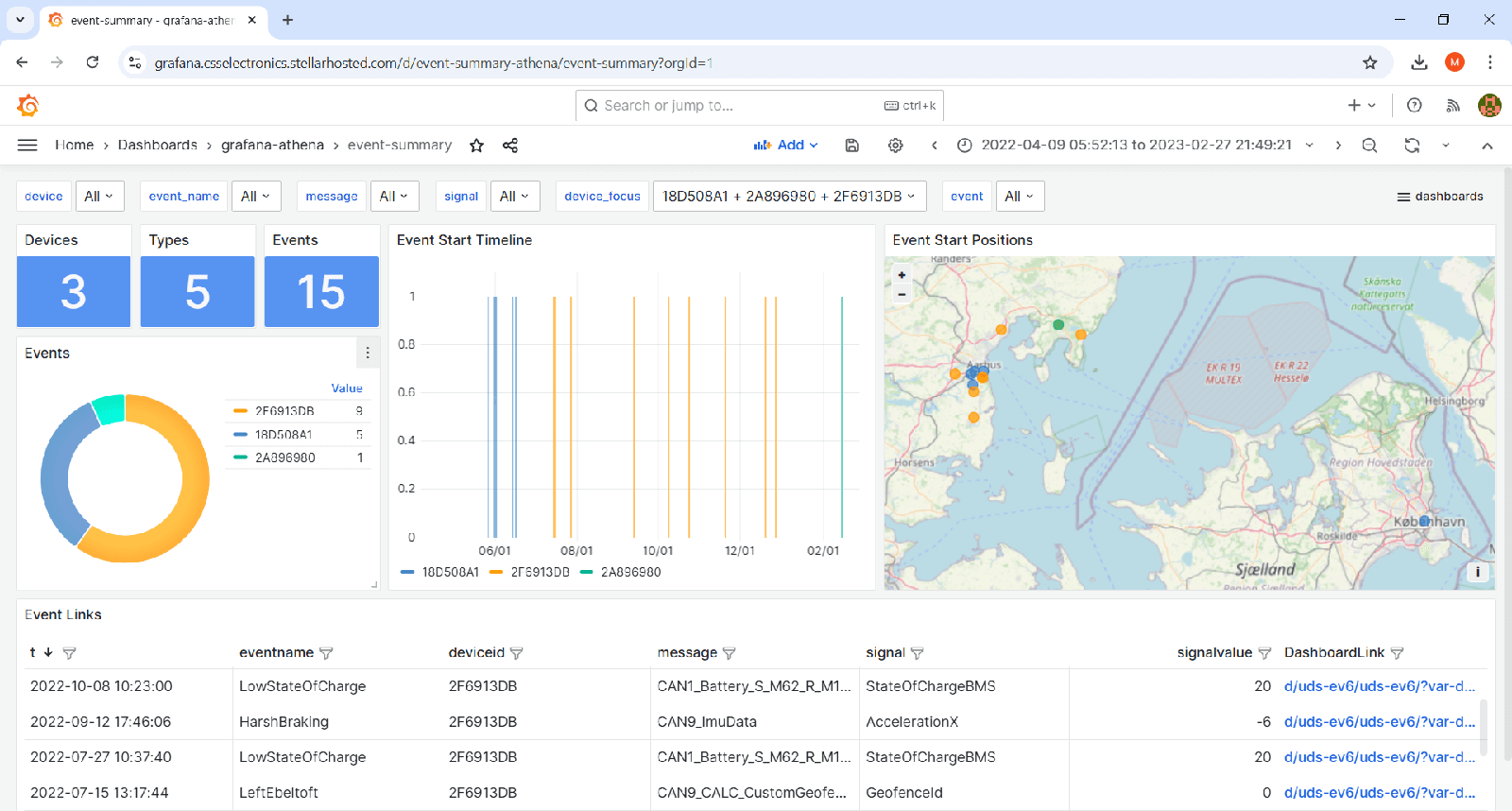
Further, you can add a Grafana 'event dashboard' to browse historical events across types, devices, GPS position and time.
For events of interest, you can click an event link to open a 'device dashboard' (with full details).
The event link ensures that the device dashboard displays a 40 min time period (by default) centered around your event timestamp - letting you immediately start analyzing/diagnosing the data.
Event detection is an extremely powerful tool if you are interested in a small subset of events in your data, e.g. for OEM engineers looking to diagnose prototype equipment. Further, it makes it easier-than-ever to deploy predictive maintenance use cases.
Learn more in our article below, check out our event dashboard playground or try it out yourself via our step-by-step documentation.
![Webinar: CAN Bus Telematics at Scale [Feb 3, 2025]](https://www.csselectronics.com/cdn/shop/files/newsletter-2024-12-webinar-can-bus-telematics-at-scale-feb-3-2025.png)
Webinar: CAN Bus Telematics at Scale [Feb 3, 2025]
Need to perform CAN bus telematics at scale?
The CANedge makes it easy to collect CAN/LIN data to your own server.
But what if you want to deploy several units - or set up auto-processing, event detection and dashboards? Now scalability and infrastructure become important.
In this webinar, Martin Falch covers the following:
- Basics on the CANedge CAN/LIN data loggers
- How to manage a fleet of devices (7 key steps)
- Data pre-processing & data lakes
- Event detection with custom CAN signals
- Trip summaries & meta tags
- Data visualization with Grafana dashboards
- Advanced analysis in Python/MATLAB
- Use case examples
This will mirror our CAN telematics at scale article and also cover event detection.
It is a must-watch if you want to step change your CAN telematics!
How to sign up: You can click 'attend' and 'add to calendar' on the LinkedIn event below. Alternatively, you can open the scheduled Youtube Live Stream and subscribe for a notification. No details are required to sign up.
How to share: We greatly appreciate if you share the webinar with your network!
Police vehicle fleet electrification
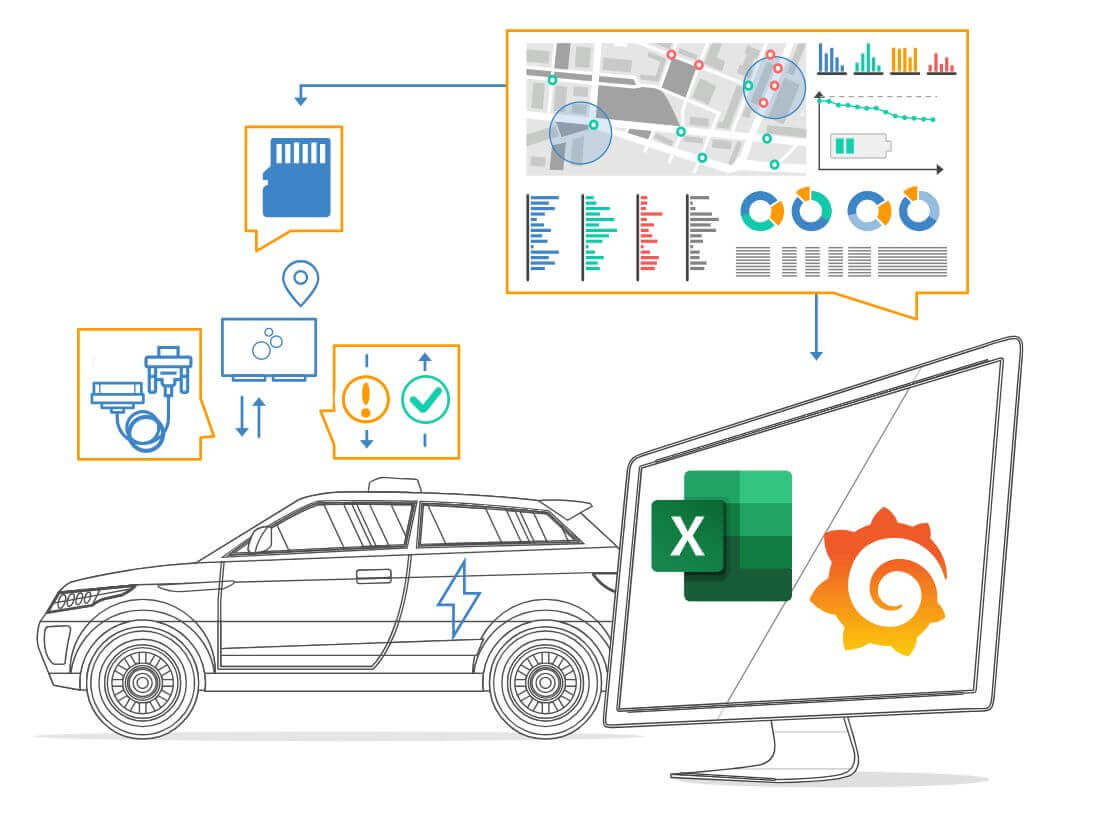
In this case study, the Danish National Police (Politi) uses the CANedge1 (incl. GPS/IMU) devices to collect OBD2/UDS/GPS data from 100+ police cars - including both regular ICE cars and a fleet of 10 electric cars (VW ID.4 GTX). The data was collected over a full year and analyzed via both Python, Excel and Grafana dashboards.
"The CANedge1 made it possible to investigate usage patterns for existing ICE-vehicles to evaluate the potential for deployment of EVs - and we received perfect support"
This update was sent as part of our newsletter on 18 December 2024. You can also download it as a PDF.
Want updates like this in your inbox? Join our newsletter - or see all news.