


 CATERPILLAR
Fits many Caterpillar heavy-duty vehicles for easy connection

 OVERMOLDED
Quality overmold ensures top flexibility & durability
 SOLID CABLES
Rugged quality 1.5m cable with 22 AWG (0.5 mm2) thickness
 ROHS
ROHS
Cables are RoHS compliant and tested in Denmark
 1Y WARRANTY
We offer a 1-year warranty on all our products
About the Caterpillar-DB9 (14-pin) adapter cable
The Caterpillar-DB9 (14-pin) adapter is suited for use in many Caterpillar heavy duty vehicles - incl. loaders, mining vehicles, construction machinery and more. The cable is compatible with our CANedge CAN loggers and CANsub CAN interfaces - letting you connect either directly to the CAN bus. See also our Caterpillar-DB9 (9-pin) variant.
Simply locate the 14-pin connector in your vehicle, typically found in the cabin (sometimes behind a panel).
Need to use this with a CANsub.4/CANmod.router? See our DB25-4xDB9 adapter cable.
For more on J1939, check out below guides:
- J1939 intro
- J1939-73 intro (diagnostics)
- J1939 data logging & telematics
- Stream DBC decoded J1939 data in webCAN
- J1939 DBC file
Check out our tech specs, use cases - or buy now!
Do you have any questions?
Contact us| GENERAL | |
|---|---|
| Adapter Cable Length | 150 cm |
| Adapter DB9 Pins | In accordance with CiA 303-1 |
| Compatibility | High Speed CAN Bus (ISO 11898-2) incl. e.g. CAN FD, SAE J1939, NMEA 2000 |
| Cable Thickness | 22 AWG (0.50 mm2) |
| Connectors | 9-pin D-sub (DB9) female to Caterpillar 14-pin (female) |
| Temperature | Operating temperature: -20degC to +80degC |
| Weight | 170G |
Caterpillar-DB9 (14-pin) adapter pinout
| Caterpillar | Function | DB9 |
| D | CAN 1 L | 2 |
| C | CAN 1 H | 7 |
| B | VCC | 9 |
| A | GND | 3 |

Below are use cases examples where the Caterpillar-DB9 (14-pin) adapter is useful:
Heavy-duty fleet telematics
Need to log J1939 data from a fleet that includes Caterpillar vehicles?
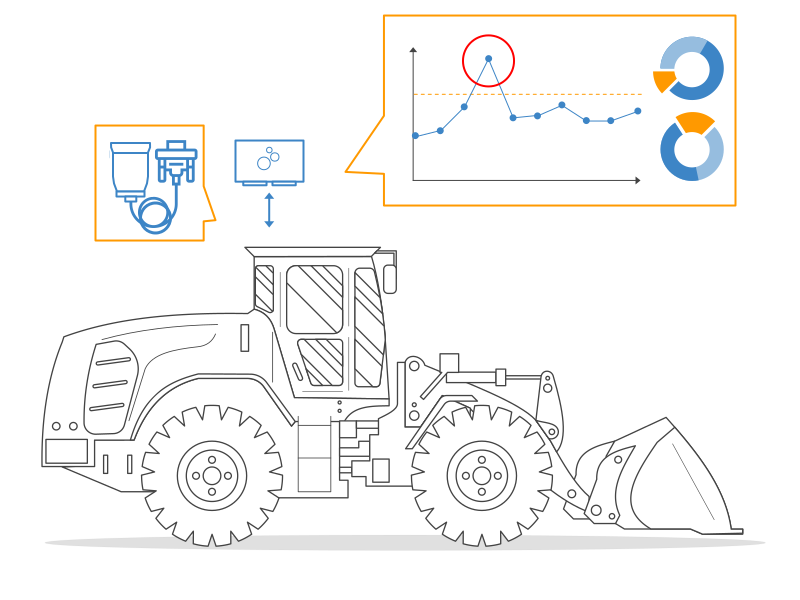
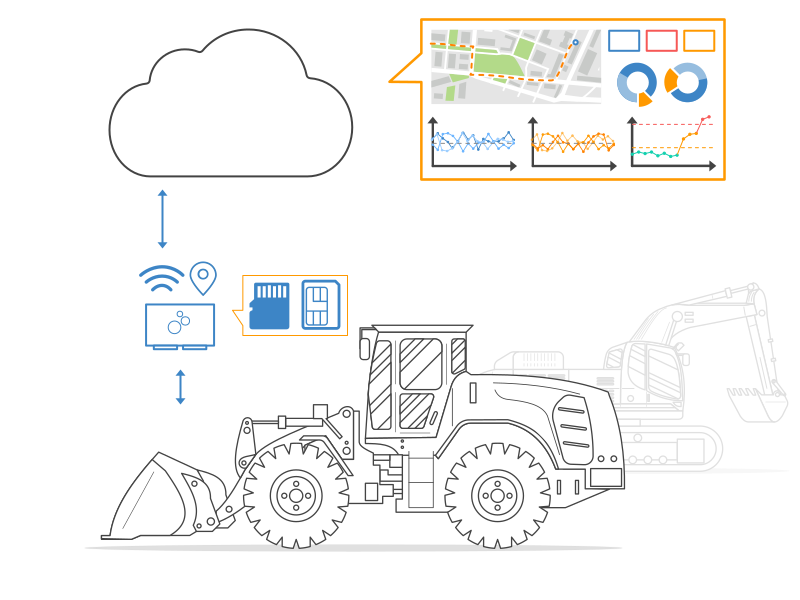
In mixed heavy-duty vehicle fleets, some Caterpillar models may be fitted with the 14-pin Caterpillar connector. In such cases, the simplest way to record J1939 data with your CAN logger is to connect it directly to the CAN bus via this adapter cable. This way, you automatically start logging all broadcasted raw J1939 data from the vehicle - allowing you to e.g. set up telematics solutions in no time. The CANedge supports optional 'silent mode' to ensure that the device does not affect the CAN bus.
Wireless field diagnostics via CANsub
Need to give your field technicians easy access to the CAN bus of Caterpillar vehicles?
Pair the Caterpillar-DB9 (14-pin) adapter cable with a CANsub.2/CANsub.4 and a WiFi router on the machine. Field technicians with WiFi access can then open webCAN wirelessly in their browser (zero installation required) to stream and DBC decode J1939 data for in-field diagnostics. Combined with this dedicated Caterpillar adapter cable, you get a plug & play setup for accessing the CAN bus across your Caterpillar fleet without having to send anyone into the cab.

Caterpillar uses several proprietary diagnostic connectors across their vehicle range, but the 9-pin and 14-pin variants are among the most common. In practice, the 9-pin Caterpillar connector is the more common of the two and is found in many CAT trucks, excavators and construction machinery. We recommend visually inspecting the connector in your vehicle before ordering. If in doubt, feel free to take a picture and contact us. See also our Caterpillar-DB9 (9-pin) variant.