CANvas - Configure, Stream & Decode CAN Bus Data
Need to easily configure your CLX000 - or stream/process data?
CANvas is a 100% free optional software for the CLX000 CAN bus data loggers.
In this intro, we outline key features for configuration, streaming and data processing.
Note: For logging data to an SD we now recommend the CANedge - and for streaming via USB/Ethernet we recommend the CANsub interface.
Configure your CAN logger
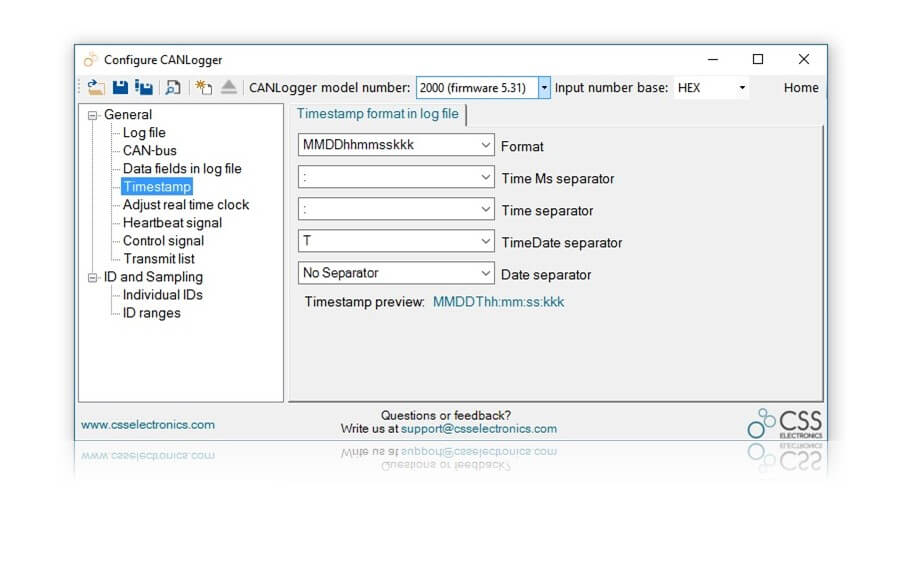
The CLX000 is plug-and-play so you can log data out of the box. However, it is also highly configurable - and CANvas is a great tool for doing so!
Key features
- General: Logger ID, separators, file/time split limit (e.g. new log every 50 MB)
- Bit rate incl. optional auto-detection and Silent/'Listen Only' mode
- RTC: Customizable RTC and date/timestamp format (CL2000/3000)
- Cyclic Logging: Delete oldest files when SD card is full
- Heartbeat: Receive status message every second from the logger
- Control: Optionally use custom trigger CAN ID to turn logging on/off
- Transmit: Add custom CAN messages to be sent periodically (e.g. for OBD2)
- Filtering: Specify message filters & down-sampling to focus your logging
- WiFi: For the CL3000, you can easily configure the WiFi settings
- OBD2 DB: Easily log OBD2 parameters with the built-in database
- WiFi TimeSync: Keep your CL3000 RTCs in sync via online clock
- Virtual SD cap: Set a virtual max size on the logger's SD card
Live stream CAN bus data
As a new feature, the CLX000 is no longer "just" a data logger. It now also serves as a fully functional CAN interface - which means you can live stream CAN bus data directly on your PC. With CANvas, it takes just 2 clicks to start streaming!
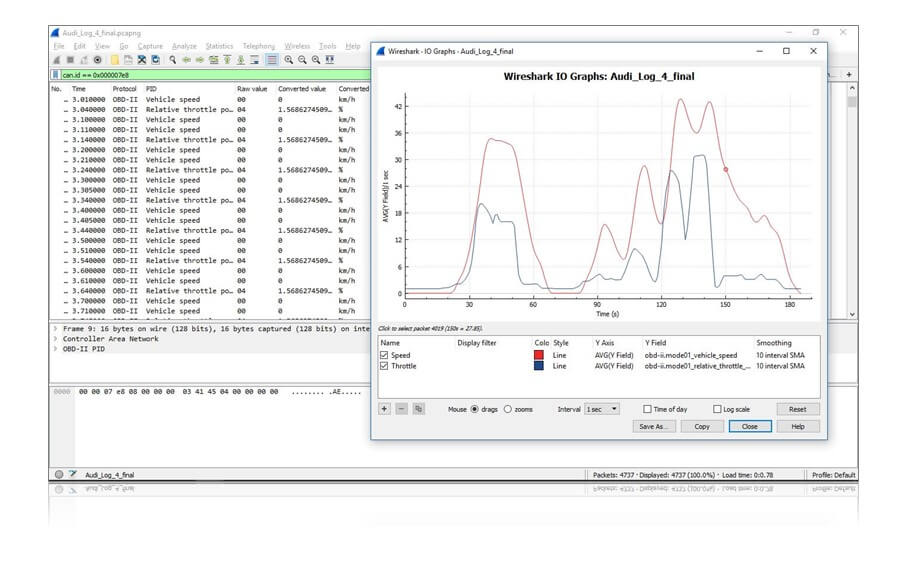
Via CANvas, you can stream data through the World's most popular network analyzer, Wireshark. Further, our free open source plugin for Wireshark adds a number of critical CAN bus features.
Key features
- Advanced and highly customizable message/data filtering
- DBC support: Stream human-readable data (aka engineering values)
- OBD2 dissector: Convert all Mode 01 standard parameters in real-time
- 'CAN Live': Trace unique CAN IDs and colorize data changes (for CAN sniffing)
- Plots: Intuitive real-time graphical plots of converted data (e.g. OBD2, J1939, …)
- Easily export to multiple formats incl. *.csv, *.c, *.txt and more
- Load a CLX000 log file to leverage the Wireshark & Plugin features
- Connect to the logger while data logging and leverage all the above features
Process & DBC-convert logged data
Finally, CANvas supports easy conversion of your CLX000 log files!
Simply load a DBC file, your log files and convert the data to scaled engineering values. The output format is *.csv, ready for import into e.g. Excel or other 3rd party software.
Key features
- Load DBC files: Convert via the standard DBC format (incl. J1939)
- FMS: Built-in support for FMS conversion rules (buses, trucks)
- Batch convert: Load batches of log files & link them based on session IDs
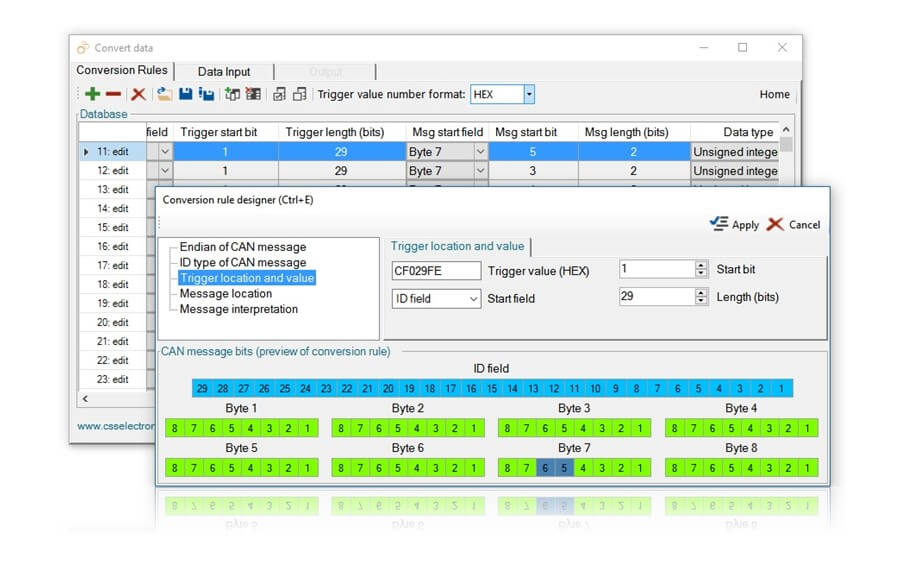
- Rules: Add custom conversion rules (incl. name, start bit, length, scale, offset)
- Downsampling: Downsample the logged data to e.g. 5 min interval output
- Columns: Add custom columns to the output file
- Timestamps: Adjust timestamps to e.g. be split in columns (Excel pivot friendly)
- Merge log files: Merge multiple files into one output file
- Re-format log files: Change format into Vector CANalyzer or PEAK formats
- Summary Stats: Add summary statistics to downsampled data (std. dev., min, max)
- OBD2: Easily convert OBD2 data with built-in conversion rules
- Auto-convert: Set up scheduled auto conversion in seconds
Ready to log & stream your CAN bus data?
Get your CLX000 today!


