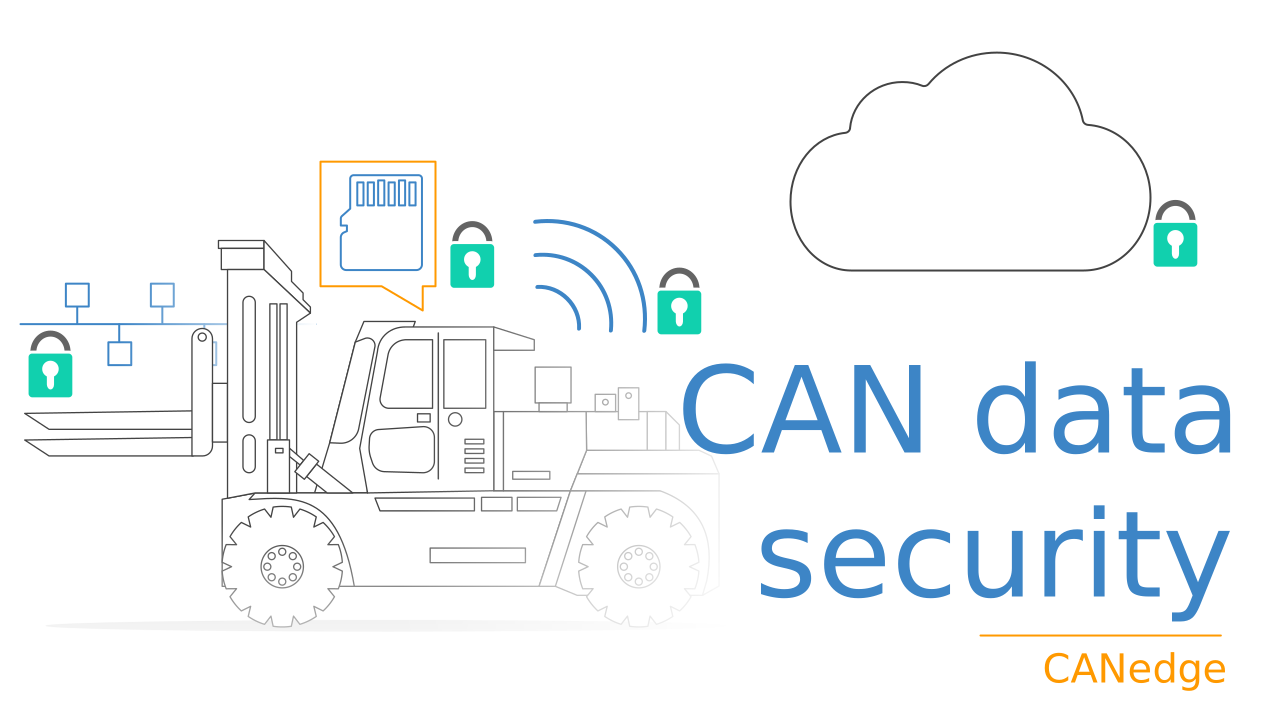
Secure CAN FD Ethernet Gateway [TLS, mTLS]

Need a CAN FD Ethernet interface - with 100% E2E security?
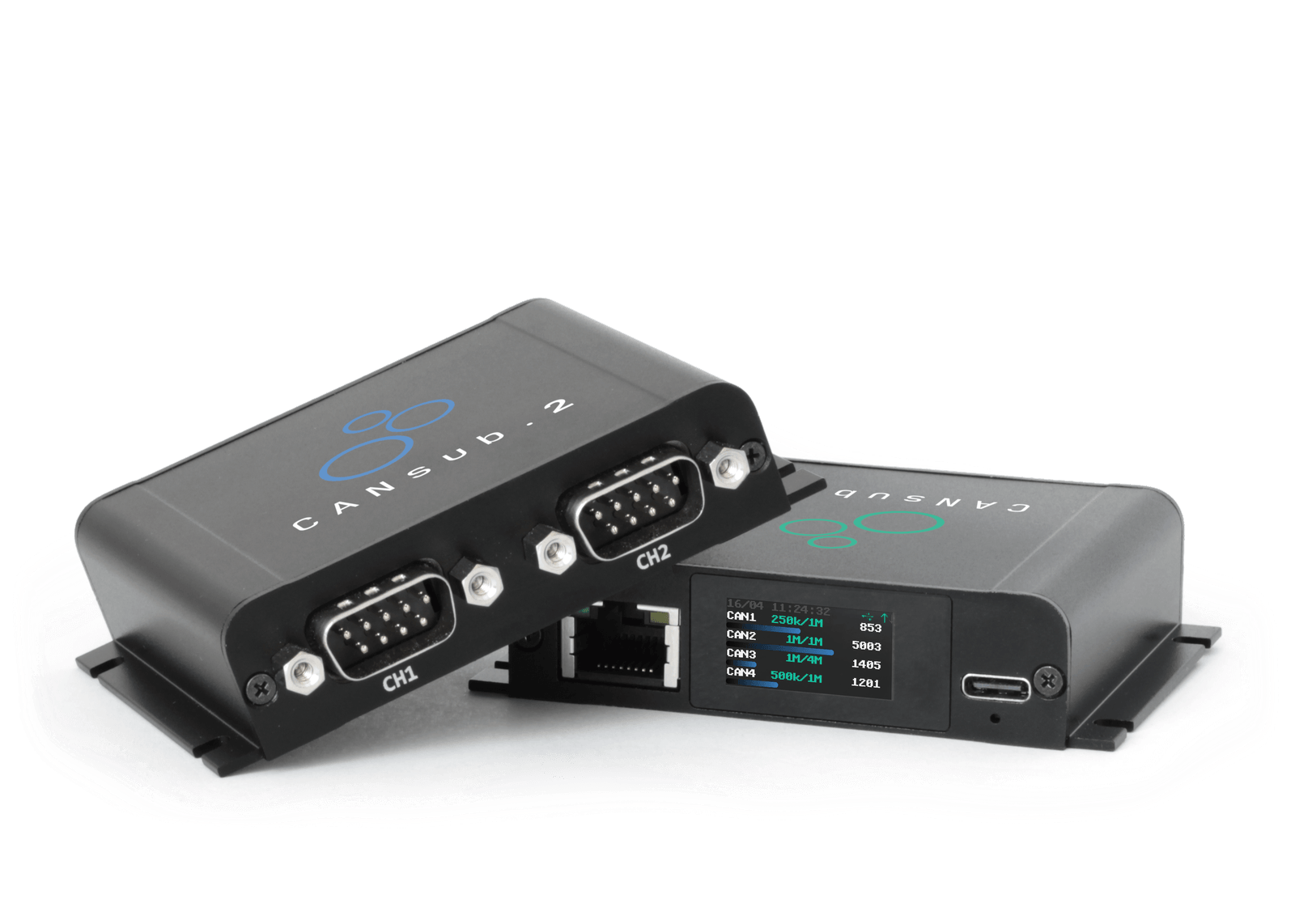
The CANsub streams CAN data in real-time via USB or Ethernet. Over Ethernet, anyone on the network (LAN, WiFi or a remote VPN) can reach it.
That raises a fair question from engineers and IT: How do you ensure only authorized users access a device that can both read and write to the CAN bus?
In short: The CANsub encrypts all data (TLS) - and can restrict authorization (mTLS).
In this article we outline key security risks to consider, how the CANsub addresses them, use case examples and the link to key standards like R155 and ISO 21434.
Top security risks for a networked CAN interface
The CANsub is used in vehicle diagnostics, labs, end-of-line / production testing, factory automation, predictive maintenance and more. In all of these deployments, it provides real-time read / write access to the CAN bus.
When used via Ethernet, that access extends to anyone who can reach the device on the network. That flexibility is a core feature - if it is 100% secure. Below we outline why it is critical to control access to a CAN streaming interface:
Data sensitivity and integrity
Live CAN traffic is often proprietary - and without encryption it could be read or even tampered with so you receive false data

Hostile system interference
An attacker able to transmit data onto the CAN bus of an asset could disrupt operationally critical functionality

Critical disruption from accidental access
A non-hostile user connecting to the wrong device by mistake could disrupt end-of-line testing, a production line or an active vehicle

Regulatory and compliance risk
An unsecured CAN interface in e.g. vehicles can clash with data and cyber regulations such as EU Cyber Resilience Act (CRA), GDPR and CCPA
A CAN FD Ethernet gateway streams raw CAN data across the network to the client (browser, Python or a custom app). Without encryption, anyone able to observe that path (a shared LAN, WiFi or a VPN hop) could read the traffic, which often carries proprietary insights from diagnostics, calibration or prototype development.
Confidentiality is not the only concern. Without transport security, an attacker on the network could also tamper with the data in transit, or impersonate the device, so the client receives altered or fabricated CAN data. Acting on that (e.g. in diagnostics or automated tests) can lead to wrong conclusions.
On the CANsub, TLS is always on: All traffic is encrypted, integrity-protected against tampering, and the device authenticates itself with a built-in certificate, so you know you are talking to a genuine CANsub and not an impostor.
A CAN interface like the CANsub is not only able to receive CAN frames - it can also transmit custom CAN frames onto the bus. A hostile actor who reaches the device on the network could therefore:
- Inject or replay CAN frames to interfere with the asset
- Send high-priority CAN IDs at high frequency, causing a denial of service for lower-priority messages
- Set an invalid bit-rate to trigger CAN errors and disrupt the bus
On the CANsub, mTLS ensures that only authenticated clients can connect over Ethernet, so simply reaching the network is not enough to transmit onto the bus.
The threat is not only hostile. By default, whoever can reach the device address can connect, read the live data and send CAN frames. On a shared LAN or WiFi, that can extend well beyond the immediate team.
Because a streaming interface is interactive, a well-meaning colleague could connect to the wrong device by mistake and disrupt a running end-of-line test, a production cell or an active vehicle's bus, with no hostile intent. This could be as simple as connecting the CANsub with an incorrect bit-rate to an active CAN bus without enabling silent mode, which may result in CAN error frames.
On the CANsub, mTLS restricts Ethernet access to clients holding a valid certificate, blocking both accidental and hostile connections. USB is never restricted, so you can always reconnect locally to regain access.
A CAN-Ethernet interface is an excellent solution for permanent deployment in production vehicles - e.g. to allow field technicians to gain wireless access to the CAN bus for diagnostics. However, deploying an unsecured CAN interface, especially in production vehicles, can create regulatory exposure on several fronts:
- GDPR: Vehicle CAN data may include personal data (e.g. linked to a driver), so a breach of unencrypted data can lead to fines
- EU CRA: As a product with digital elements, a connected CAN interface must be secure by design, incl. access control
- R155 / ISO 21434: If the device is built into a vehicle type, the OEM must demonstrate adequate vehicle cyber security
The CANsub's TLS-by-default and optional mTLS help you meet these expectations. See the dedicated R155 and ISO 21434 section below.
In our review of other CAN-Ethernet interfaces/gateways on the market, we've been surprised to see that none of the 5+ alternatives we analyzed seem to implement TLS, mTLS or similar security measures - despite the above critical risks this entails.
Do you have security questions for your own CANsub use case?
Contact usSecurity features of the CANsub
The CANsub is encrypted by default, and optional mutual authentication (mTLS) lets you decide exactly who can connect:
 TLS DEFAULT
Encrypted via TLS by default (HTTPS), with proof the device is a genuine CANsub
 mTLS ACCESS
Optional mutual TLS lets you decide exactly which users and clients may connect
 NO SECRETS
Uses asymmetric certificates, so no passwords or secrets are stored on the device
 SIGNED FW
Securely update the device with digitally signed firmware files via USB/Ethernet
 SILENT MODE
Configurable hardware silent mode - or optional contactless adapters
 SECURE API
All the CANsub software/API tools support TLS + mTLS (webCAN, python-can, ...)
Technical: How does the CANsub TLS/mTLS work?
Below we briefly explain how the CANsub TLS/mTLS security works. For full details see the CANsub Docs.
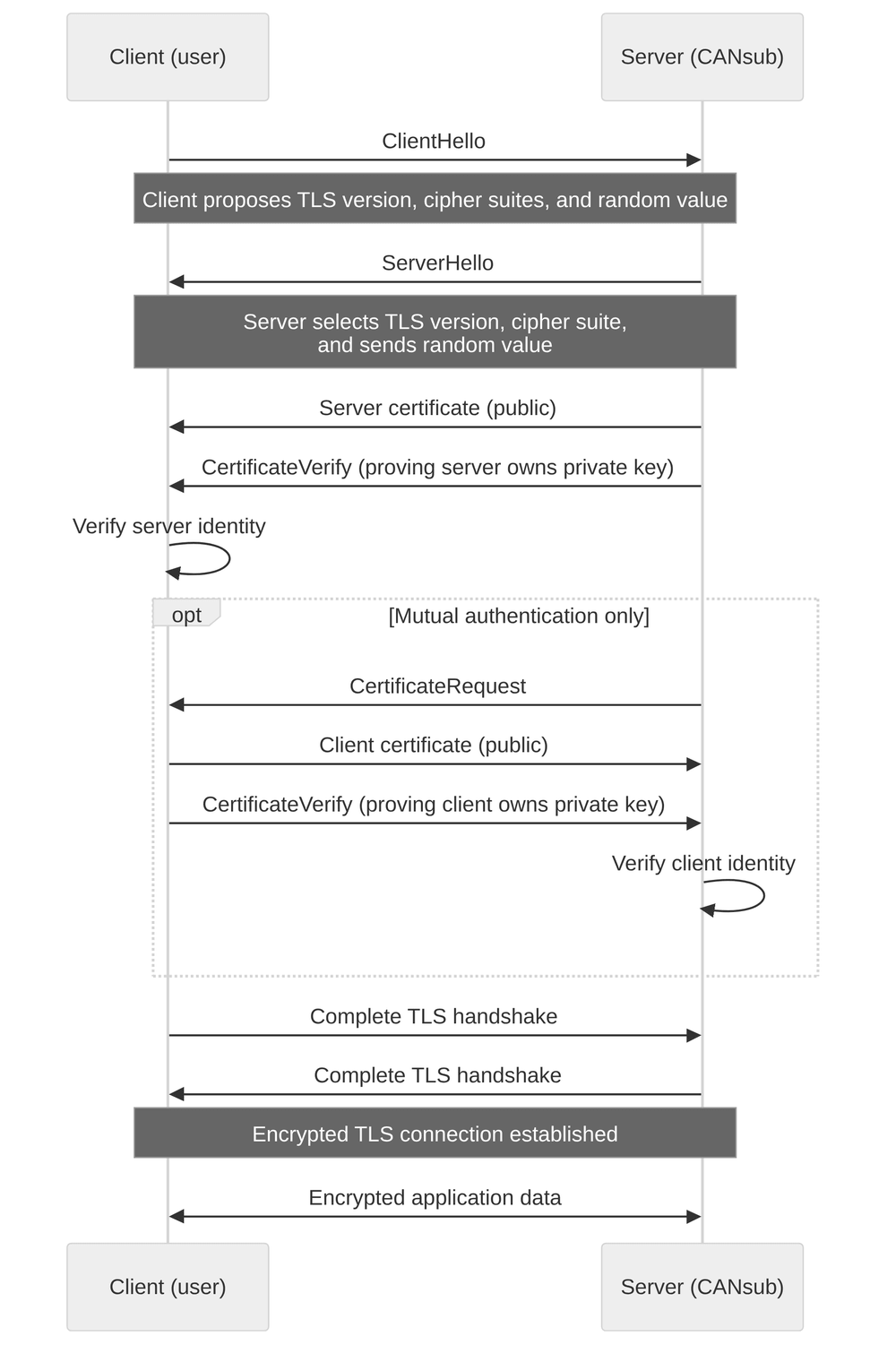
TLS (always on): Each CANsub ships with a built-in device certificate (ECDSA P-256) signed by the CSS 'CANsub root' CA, and all traffic uses a modern cipher suite (TLS 1.2, ECDHE-ECDSA-AES128-GCM-SHA256). Because the certificate is CSS-signed rather than issued by a public CA, you install the CANsub root certificate once in your browser or OS, a one-time step, after which HTTPS access is seamless and the client can confirm it is talking to a genuine device. This applies over both USB and Ethernet, with no configuration needed.
mTLS (optional, Ethernet): mTLS adds a client certificate, so the device only accepts clients that present a matching one. Setup is three steps: Generate a client certificate (standard OpenSSL, via Git Bash on Windows), upload its public part to the device once, and install the certificate bundle in your browser or tool. It uses asymmetric keys, so no secrets are stored on the device, and you manage it with simple REST calls.
A self-signed client certificate is enough for a single user and device. For multiple users or devices, upload your own CA certificate once and the CANsub will trust every certificate that CA issues, so you can add people or roll out across a fleet without reconfiguring each device. For large CANsub orders, you can request that your CA certificate is added during production.
Secure CANsub use case examples
Below we outline common Ethernet-based deployments, and how the CANsub keeps each one secure:

Test labs, end-of-line and production automation
Need multiple CAN interfaces on one shared network, safely?
In labs, EOL benches and automation cells, several CANsub devices often share one network, each used by different engineers or test stations. With mTLS, only clients holding a valid certificate reach each device, so a wrong connection cannot disrupt a running test or line. A CA-signed certificate authorizes many users and devices at once, and USB is always on hand at the bench to regain access. For benches that need 4 x CAN FD, the CANsub.4 offers the same security model with four channels.
Wireless diagnostics on vehicles in the field
Need field technicians to reach a vehicle's CAN bus over WiFi, safely?
With the CANsub connected via Ethernet to a WiFi router in the vehicle, field technicians can stream data and run diagnostics wirelessly via webCAN, without plugging in. Since the device can transmit onto an active bus, access control is critical: With mTLS, only authorized technicians can connect - even if the WiFi is compromised. This blocks both hostile and accidental access to a moving asset.


Remote CAN bus diagnostics via VPN
Need to reach a CAN bus across the world for remote diagnostics?
Connect the CANsub to an LTE router with a VPN so engineers can reach it securely over the internet. This gives defense in depth: VPN membership, TLS encryption and mTLS authentication all stack. Cyclical transmit sequences (e.g. OBD2/UDS requests) can run as on-device jobs for precise edge-based timing, independent of network latency - while more CAN access can be achieved via the CANsub python-can integration, including e.g. libraries focused on UDS and XCP. For details on remote CANsub deployments, see our CAN via Ethernet intro.
Note: Using the CANsub via LTE should be done with proper security (VPN, TLS, mTLS).Need a guaranteed read-only setup?
Do you want to restrict even authenticated access to be 100% silent?
For the most safety-critical setups you can go a step beyond mTLS. Pair the CANsub with our contactless CAN reader to physically guarantee the device can only read the bus and never transmit, regardless of configuration or access. For larger volume batches, a hardwired silent-mode variant is available on request.

CANsub vs. R155, ISO 21434 and the CRA
UN Regulation No. 155 (UNECE R155) applies to vehicle manufacturers (OEMs) seeking type approval of vehicle types in categories M and N (and some category O, L vehicles). It requires OEMs to prove that vehicles have adequate cyber security protections, including through a certified cyber security management system (CSMS).
In practice, OEMs implement R155 using ISO/SAE 21434, the international standard for road-vehicle cybersecurity engineering. ISO 21434 defines the processes and work products that support R155 compliance, including TARA (Threat Analysis and Risk Assessment), vulnerability management and cybersecurity concept development.
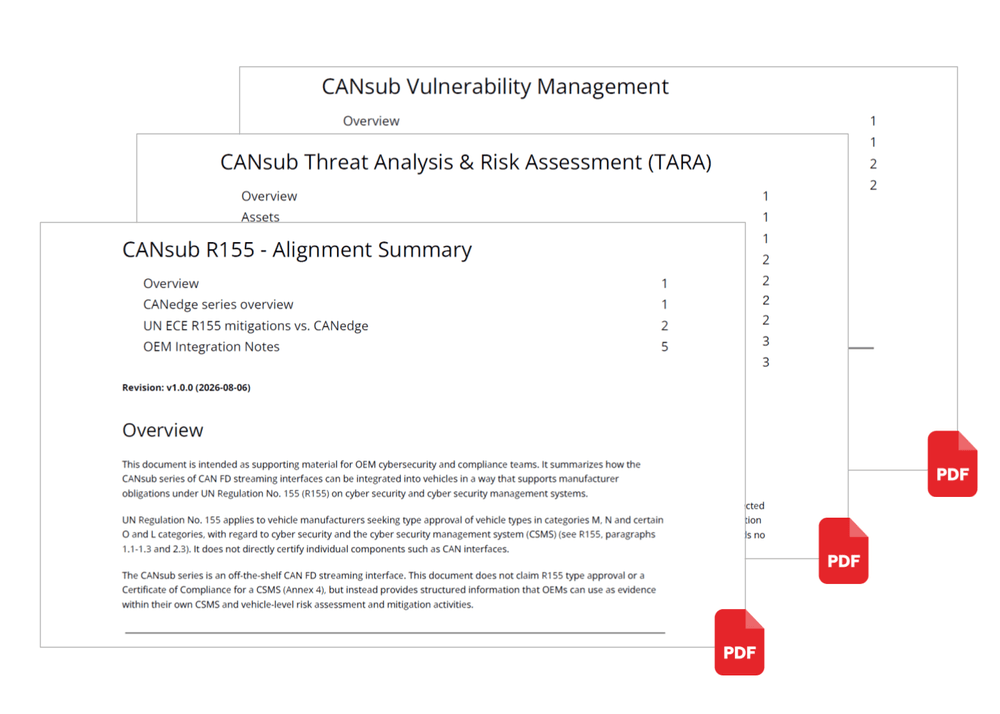
If a CANsub is integrated during production as a fixed vehicle component, the OEM may need structured documentation showing how the CANsub aligns with the mitigation measures in R155 Annex 5. To help ease this integration we offer below:
- CANsub R155 - Alignment Summary
- CANsub TARA (Threat Analysis and Risk Assessment)
- CANsub Vulnerability Management
CANsub and the EU Cyber Resilience Act (CRA)
The EU Cyber Resilience Act (CRA, Regulation (EU) 2024/2847) sets mandatory cybersecurity requirements for products with digital elements sold in the EU, with its main obligations applying to products placed on the EU market from 11 December 2027.
The CANsub is designed in line with the CRA's requirements, with its core security features mapping directly to them:
- Encryption by default: TLS is always on, protecting confidentiality and integrity of the data
- Access control: mTLS client authentication restricts networked access to authorized users
- Secure updates: Free, digitally signed firmware updates, verified by the device before installation
- Minimal attack surface: No passwords, no data at rest, a single TLS-only service and firmware code protection
- Process: Vulnerability management (incl. our vulnerability disclosure policy) and a defined support period (5+ years)
When evaluating any CAN-Ethernet interface for deployment in EU we recommend taking these capability requirements into account. You can contact us for technical details or documentation.
Security factors to review in your CAN streaming setup
Below we outline key factors to consider when you select a CAN bus interface for a networked deployment.
CAN devices are often manufactured at 3rd party PCB assembly houses. However, the firmware and end-of-line (EOL) test step should be controlled by the original device manufacturer, both to ensure the firmware is not stolen or modified, and to ensure the specific devices have not been tampered with.
At CSS Electronics, PCBs are manufactured by our trusted DK partners (ISO 9001 certified) and shipped to Denmark, where 100% of units go through an extensive in-house EOL test procedure in which the firmware is added.
Various companies specialize in reverse engineering firmware code from embedded devices. If an attacker can extract the firmware, it provides a basis for building a custom firmware that could be used in an attack.
The CANsub uses microcontroller based code protection, meaning the firmware code cannot be read out from the device and debug interfaces are disabled. This is a basic protection, which is why digital signing (below) is equally important.
If an attacker can deploy a modified firmware to a CAN device, it opens up a wide array of possible attacks, so preventing unauthorized firmware is critical.
The CANsub only accepts digitally signed firmware from CSS Electronics. Even if an attacker managed to build a custom firmware, the device would reject it. Firmware updates are performed by the user via the browser over USB or Ethernet.
Secure data transfer ensures the privacy of data as it moves between the device and the client, similar to how websites use HTTP (unsecure) vs HTTPS (secure).
The CANsub secures all communication via TLS by default, over both USB and Ethernet, so there is no unencrypted mode. TLS also lets the client verify it is talking to a genuine CANsub. On first use, you install the CANsub root certificate once to avoid browser warnings, after which access is seamless. For details, see the CANsub Docs.
On a network, TLS encrypts the connection but does not by itself decide who may connect. For a device that can write to the CAN bus, controlling access is essential.
The CANsub optionally supports mutual TLS (mTLS) over Ethernet, which adds client authentication, comparable to password protection but based on certificates. You upload a client certificate to the device, which then only accepts clients presenting the matching certificate. A self-signed certificate suits a single user and device, while a CA-signed certificate lets you authorize many users and devices. Because mTLS uses asymmetric cryptography, no client secrets are stored on the device.
For remote access to a CANsub in the field, exposing the device directly to the internet is not recommended.
Instead, use a VPN: The router connects outbound to a VPN server, and remote users join the same VPN to reach the device. This works even behind carrier NAT and ensures only VPN members can connect, layered on top of TLS and mTLS. Note also that mTLS is never enforced over USB, so if a certificate or key is ever lost, you can always reconnect via USB to regain access, with no lock-out.
Some use cases call for a guarantee that the interface can never transmit onto the bus, regardless of configuration or access.
The CANsub offers a configurable hardware silent (listen-only) mode. For an even stronger, physical guarantee, pair it with our contactless CAN reader, which provides read-only access to the CAN high/low harness so the device is physically unable to interfere with the bus. For larger volume batches, a hardwired silent-mode variant is available on request.
Need a secure CAN interface for your team?
Get your CANsub today!