


 10 µS SYNC
Sync all CANsub devices on your network to one clock - below 10 µs
 GPS BASED
GPS reference enables true UTC timestamps, not a drifting PC time
 2 MIN SETUP
Deploy & configure in seconds. Optional Power-over-Ethernet.
 STANDALONE
Runs offline with no internet, host software or scripts to maintain
 HOLDOVER
OCXO oscillator keeps serving stable time if the GPS signal is lost
 SCALABLE
One unit serves any number of CANsub devices across your LAN
About the TM2000B
- a GPS PTP grandmaster
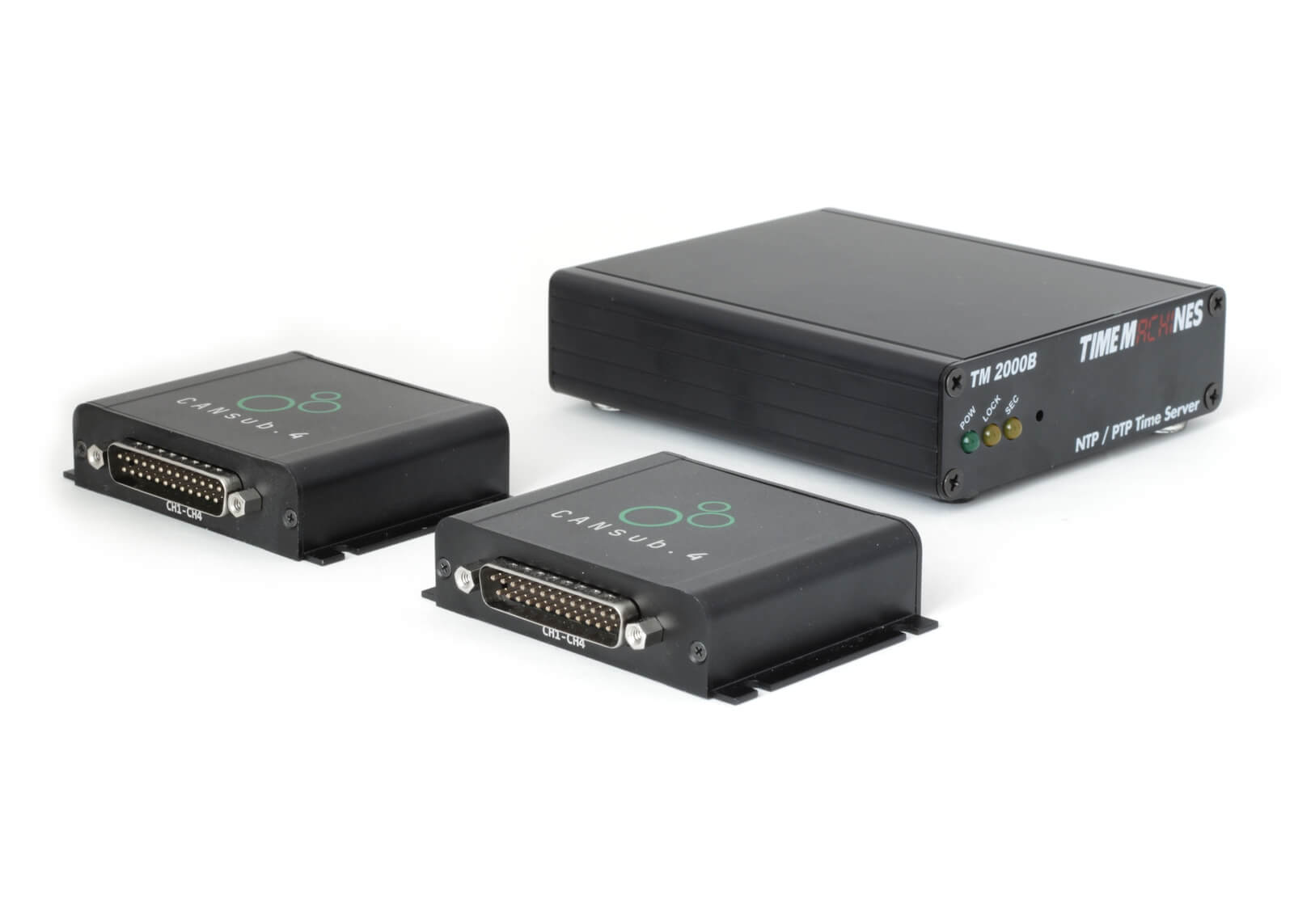
The TM2000B from TimeMachines is a compact GPS-disciplined network time server: It receives the GPS time signal via the included antenna and serves it to your network as a PTP grandmaster - with no internet connection required.
We offer it as an accessory for the CANsub: When several CANsub devices stream CAN data on one network, their clocks drift apart over time. With the TM2000B on the network, each CANsub automatically syncs to it - so frame timestamps across all devices share one absolute time base within 10 µs.
PTP in practice - 8 x CAN on LAN
In our CAN via Ethernet article, we deploy 2 x CANsub.4 (8 x CAN) on an office switch and run a python-can test lab simulation. Without PTP, the two device clocks drift apart - eventually failing the cross-device timing checks in the test dashboard.
Enabling PTP against a software master on a Linux PC brings the devices to within 10 µs. With the TM2000B as hardware grandmaster, the sync is even tighter - and every timestamp is now tied to absolute GPS time rather than the PC clock.
As a second visualization, a CANmod.input feeds the same signal to both CANsub.4 devices. In SavvyCAN, the plots from the two devices align perfectly once PTP is enabled.
A Linux PC or Raspberry Pi running e.g. linuxptp can act as a software PTP master - and in our showcase this alone reduces the cross-device sync error by 99%+ (from 1-2 ms to below 10 µs). It is a good option for quick tests when a suitable Linux host is already at hand and someone can keep it running.
However, the software approach has practical limits: The PC clock itself is only as accurate as its NTP source, the host must stay powered and maintained 24/7, the PTP messages are typically timestamped in software (or depend on network card support) which adds jitter - and setup requires Linux know-how.
The TM2000B addresses this as a dedicated device: GPS-disciplined absolute time, PTP messages timestamped in hardware at the network port, OCXO holdover if GPS is lost - and a 2 minute browser-based setup with no host to maintain. We recommend it for test labs, end-of-line stations, vessels and any deployment that must run unattended, e.g. in the field.
Note that the CANsub itself hardware timestamps every CAN frame at 1 µs resolution regardless of the PTP master. The master only determines how precisely the device clocks are aligned to each other and to UTC.
1. Antenna: Place the GPS antenna with a clear view of the sky and connect it to the SMA port on the rear of the TM2000B. The antenna has a magnetic base and a 5 m cable, so it can be placed well away from the unit.
2. Power and network: Connect the included 12 V power supply and an Ethernet cable from the TM2000B to your switch or router. The unit boots within seconds and the POW LED turns on. Optionally, you can use a Power-over-Ethernet adapter to power the TM2000B for easier installation (not included).
3. Configure: Open the web interface in your browser (default IP 192.168.1.20 - or enable DHCP) and set your network and PTP settings. For multiple CANsub devices, use multicast mode.
4. GPS lock: Wait for the LOCK LED to turn solid (3D GPS fix) and the SEC LED to blink once per second - the TM2000B is now serving GPS time as PTP grandmaster on your network. A first fix typically takes less than a minute with a clear view of the sky.
5. CANsub: No configuration is needed on the CANsub. With a PTP grandmaster present on the network, the devices sync to it automatically - whether you use webCAN, python-can, SavvyCAN or your own apps.
See the quick setup guide and product manual for details.
The TM2000B is manufactured by a 3rd party (TimeMachines). We have selected and tested it as a low cost, easy-to-deploy PTP grandmaster for the CANsub and offer it as an accessory for CANsub users who need multi-device time synchronization.
We are happy to support questions related to using the TM2000B with the CANsub - incl. via our showcases and guides. For technical questions beyond the TM2000B + CANsub, we refer to the TimeMachines documentation and their support.
Check out our tech specs, use cases or FAQ - or buy now!
Do you have any questions?
Contact us


| GENERAL | |
|---|---|
| Functionality | GPS-based PTP grandmaster clock for syncing CANsub devices (and/or host PCs) on a LAN |
| Manufacturer | TimeMachines (USA). Model TM2000B |
| Compatibility | CANsub.2 and CANsub.4 via Ethernet. Any other PTP or NTP client on the network |
| In the box | TM2000B, 12 V international power supply, GPS patch antenna (5 m cable), quick setup guide, rubber grips |
| Configuration | Browser web interface (default IP 192.168.1.20, DHCP optional). No software installation required |
| Support | We support CANsub related setup. Advanced time server questions may be referred to TimeMachines |
| Warranty | 1-year warranty |
| Safety | CE, FCC and RoHS certified |
| Origin | USA |
| TIME SYNC | |
| PTP standard | IEEE 1588:2008 (PTP v2). Unicast or multicast. End-to-end and peer-to-peer delay mechanisms |
| PTP profiles | 802.1AS (gPTP), telecom G.8265.1 / G.8275.1 / G.8275.2, automotive, SMPTE |
| PTP precision | Cross-device sync below 10 µs across CANsub devices (GPS-disciplined, PTP messages timestamped in hardware) |
| NTP | NTP v1-4 (RFC 1119/1305/5905) and SNTP. MD5/SHA1 authentication. Stratum 1 |
| NTP capacity | 750+ requests per second (600,000+ clients polling every 15 minutes) |
| Holdover | OCXO oscillator (20 ppb). PTP holdover time user-settable from 1 minute to infinite |
| PTP without GPS | Optional: Serve PTP from a manually set or NTP-peered time (reduced accuracy) |
| Leap seconds | Positive and negative leap second support for NTP and PTP |
| GPS | |
| Receiver | MediaTek MT3339, GPS L1 (1575.42 MHz). Sensitivity -165 dBm |
| Time to first fix | Typically 33 s from cold start, 1 s re-acquisition after a short obstruction |
| Lock requirement | 3D GPS lock required to serve time (2D optionally allowed for NTP). Status shown via front panel LEDs |
| Antenna (included) | Active patch antenna, magnetic base, +28 dB LNA, 5 m RG174 cable, SMA male, IPx6, -40 to +85 degC |
| Antenna power | 5 V (default) or 3.3 V via internal jumper |
| Outdoor antenna | Optional outdoor antenna kits with up to 250 ft cable (see the antenna guide) |
| NETWORK | |
| Ethernet | 1 x RJ45, 10/100 Mbps auto-sensing, hardware timestamping of PTP messages |
| IP | IPv4 (static or DHCP) and IPv6 |
| Management | Web interface, SNMP v2/v3, mini-USB serial status output (115200 baud) |
| PTP ports | Announce messages on UDP 320, Sync and Delay messages on UDP 319 (standard PTP) |
| ELECTRICAL | |
| Input voltage | 9-16 V DC. 5.5 x 2.5 mm barrel connector, center positive. 12 V supply included |
| Power consumption | 5 W at startup, 2.5 W continuous |
| MECHANICAL | |
| Dimensions | 12.7 x 10.7 x 3.3 cm. Aluminum enclosure |
| Weight | 816 g |
| Connections | Rear: Power, RJ45 Ethernet, serial, SMA antenna. Front: Status LEDs and reset button |
| Indicators | Power, GPS lock and 1PPS (seconds) LEDs |
| Temperature | Full accuracy from -10 to +50 degC (degraded outside). 95% humidity non-condensing |
Below we outline example use cases for the TM2000B as a PTP grandmaster for CANsub deployments:

Test labs and end-of-line testing
Need to correlate CAN data across many CANsub devices in a test hall?
In a test lab or end-of-line setup, several CANsub devices often monitor separate CAN buses across rigs, cells or stations. Add the TM2000B to the same switch and every device syncs to one GPS-disciplined clock - so frames from different devices can be compared directly in python-can, SavvyCAN or your own apps. Timing checks across rigs become meaningful, and results carry absolute UTC timestamps for traceability.
Maritime predictive maintenance
Need many sensors and CANsub devices across a vessel in perfect absolute sync?
On larger vessels, real-time predictive maintenance may involve many CANsub devices streaming engine, propulsion and NMEA 2000 data from across the ship - alongside other sensor systems. With the TM2000B on the ship network (and an outdoor GPS antenna on deck), every device shares one absolute time base. This lets you correlate vibration, load and engine data across decks with microsecond precision - feeding accurate real-time analytics.


Wind turbine parks via LTE
Need real-time data from separate turbines to stay in perfect cross-sync?
Across a wind park, each turbine typically hosts its own CANsub on a separate network - reached remotely via an LTE router and VPN, as in our CAN via Ethernet article. Add a TM2000B next to each CANsub and every device is synced to GPS time locally - so frames from different turbines share one absolute time base, even though the devices never see each other. Since the CANsub hardware timestamps each frame at the edge, the LTE latency and jitter on the way to your dashboard do not affect the timing - enabling unique cross-turbine insights in real-time with practically perfect sync.
CAN alongside other PTP systems
Need to align CAN data with cameras, DAQ systems or PLCs on the same clock?
Many test and automation systems already speak PTP: Cameras, data acquisition units, PLCs and measurement instruments. With the TM2000B as the common grandmaster, the CANsub joins the same PTP domain - so CAN frame timestamps line up with the video frames, analog samples and control events recorded by the rest of your setup. This simplifies root cause analysis across systems.

Yes. In our CAN via Ethernet article, an office Linux PC running a software PTP master brings 2 x CANsub.4 to within 10 µs of each other - a good option for quick tests when a suitable host is available. The TM2000B is the professional-grade alternative: It adds GPS-disciplined absolute time, PTP messages timestamped in hardware at the network port (rather than in software), holdover if GPS is lost and a 2 minute setup - with no PC to keep running. In our own test with the TM2000B, the two CANsub.4 devices synced to within about +/- 1 µs of each other - and to absolute UTC.
Either way, the CANsub hardware timestamps every CAN frame at 1 µs resolution - with or without a PTP master. The master only determines how precisely the device clocks are aligned to each other and to UTC.
No. The CANsub syncs to a PTP grandmaster on its network automatically - there are no settings to change on the device. Since the clock alignment happens on the CANsub itself, it applies across all the CANsub software tools, incl. webCAN, python-can, SavvyCAN and your own REST/WebSocket apps. The CANsub also exposes its PTP sync status, as shown in our showcase dashboard.
Not necessarily. The included active patch antenna (5 m cable, magnetic base) typically achieves a 3D GPS lock when placed on a window sill or another spot with a reasonable view of the sky. In metal buildings, below deck on a vessel or in shielded test halls, an outdoor antenna is the robust solution: TimeMachines offers outdoor antenna kits with mounts, lightning arrestors and up to 250 ft of cable - see the outdoor antenna guide.
No. The TM2000B gets the time directly from the GPS satellites and distributes it on your local network. This means it works on networks with no internet access at all, e.g. an isolated test lab network or a ship - and the time does not depend on an internet time server. Besides PTP for your CANsub devices, it can also serve NTP to the PCs and servers on the same network.
Each CANsub timestamps every RX/TX CAN frame at 1 µs resolution 'at the edge'. Without PTP, each device runs on its own clock, and clocks drift apart - typically by tens of milliseconds over a day. With PTP against the TM2000B, all CANsub devices stay within 10 µs of each other and of UTC. For reference, a single CAN frame at 500 kbit/s takes 200+ µs on the bus - so the order and relative timing of frames across devices becomes unambiguous.
Still have questions?
Contact us